80x86/ddns-updater
[build@2020-09-03] tiny DDNS updater with simple and clean web UI
10K+
80x86/ddns-updater repository overview
ddns-updater for amd64 and arm64 machine 
small but powerfull
- auto ACME certificate feature
- serverchan wechat notification feature
- container based on alpine linux (5M base image)
- simple and clean web UI to see status and update config file
more DDNS providers will be added if I would have had more time ...
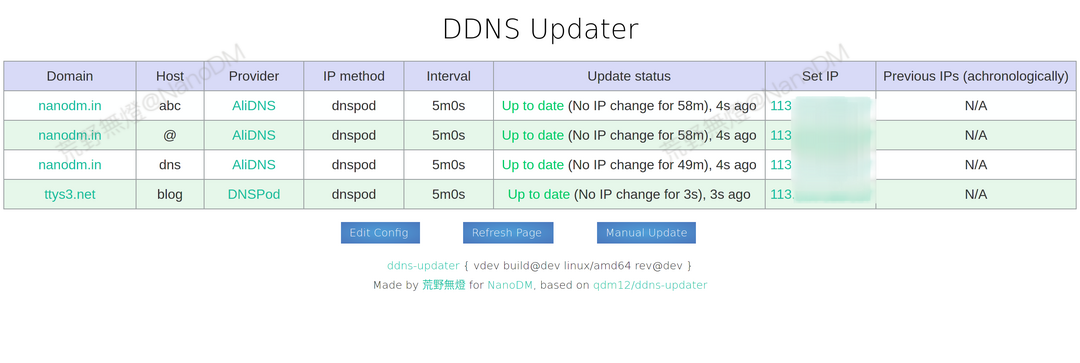
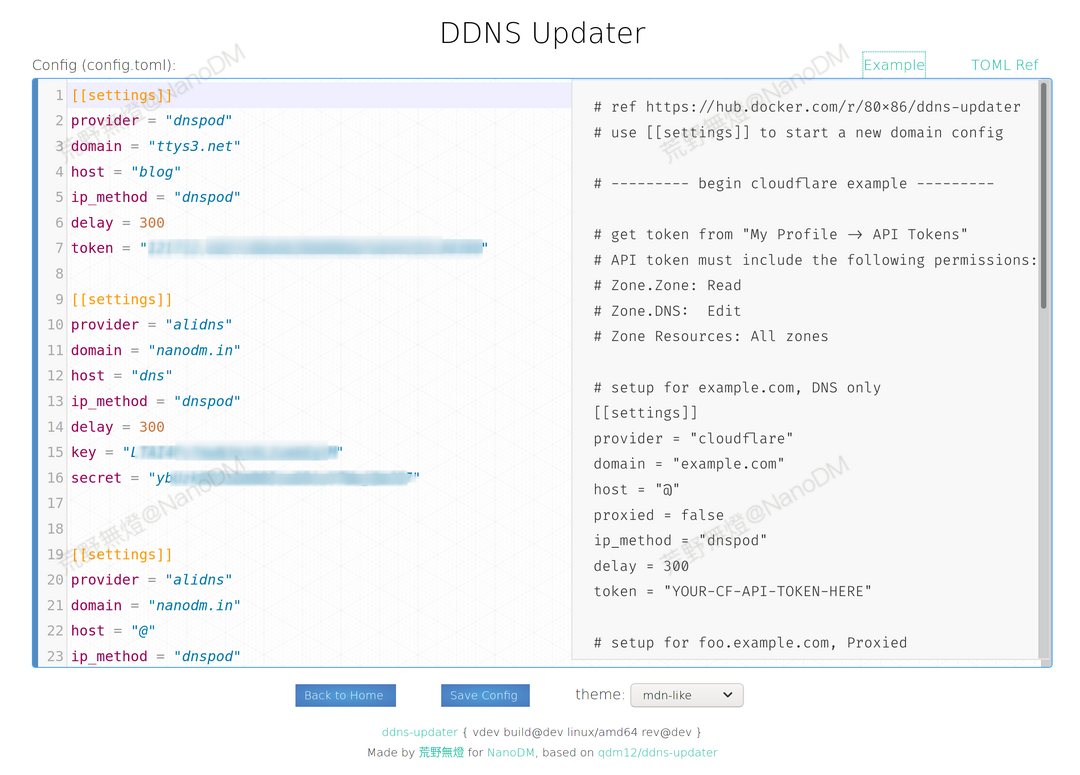
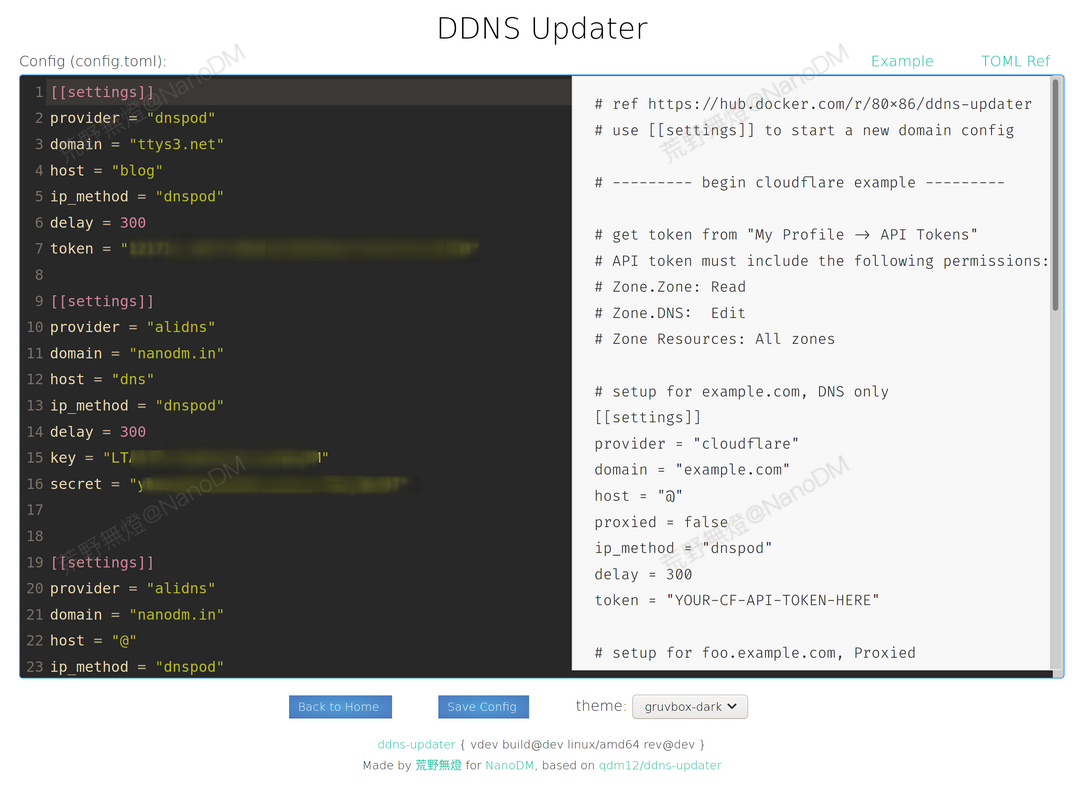
volume must map
| container | description |
|---|---|
| /app/data | dir to save config file, db and ssl certificate |
env var
general env var
| name | default value | description |
|---|---|---|
| LISTENINGPORT | 8020 | web server listen port |
| HTTP_USERNAME | admin | web ui login username |
| HTTP_PASSWORD | admin | web ui login password |
| LOGMODE | console | can be json or console |
| LOGLEVEL | info | can be info or error |
| DATADIR | /app/data | dir to save config file, db and ssl certificate |
| GO_DNS_SERVERS | 114.114.114.114:53,8.8.8.8:53,208.67.222.222:443 | custom DNS for healthcheck, comma separated list, each item must in format IP:PORT |
| SERVERCHAN_KEY | serverchan key for wechat notification feature, get it from http://sc.ftqq.com/?c=code |
ACME autocert env var
| name | default value | description |
|---|---|---|
| AUTOCERT | false | set to true to enable auto acme (this option has higher priority than the SSL option) |
| AUTOCERT_EMAIL | [email protected] | Email for Let's Encrypt account registration |
| AUTOCERT_DOMAIN | nb.localhost | set to your ACME domains if AUTOCERT=true, can be multi like foo.com,b.bar.com, can be wildcard like *.foo.com |
| AUTOCERT_DOMAIN_WHITELIST | domain name allowed, empty means allow all, can be multi like foo.com,b.bar.com | |
| AUTOCERT_DNS_PROVIDER | see available providers below | |
| AUTOCERT_KEYTYPE | EC256 | must be one of RSA2048, RSA4096, RSA8192, EC256, EC384 |
| GO_ACME_STORAGE_DIR | /config/ssl | ACME certificate cache dir |
ACME autocert: availabel DNS providers
alidns,azure,cloudflare,cloudxns,digitalocean,dnspod,gcloud,linodev4,namecheap,qcloud,rfc2136,vultr
ACME autocert: additional env var for dns provider
cloudflare:
you should create an API token with the following permissions:
Zone / Zone / Read
Zone / DNS / Edit
| Environment Variable Name | description |
|---|---|
| CF_DNS_API_TOKEN | get token from "My Profile -> API Tokens" |
dnspod:
| Environment Variable Name | description |
|---|---|
| DNSPOD_API_KEY | format is: id,token |
qcloud:
| Environment Variable Name | description |
|---|---|
| QCLOUD_SECRET_ID | The SecretId |
| QCLOUD_SECRET_KEY | The SecretKey |
alidns:
| Environment Variable Name | description |
|---|---|
| ALICLOUD_ACCESS_KEY | Access key ID |
| ALICLOUD_SECRET_KEY | Access Key secret |
for other provider please ref to: https://go-acme.github.io/lego/dns/#dns-providers
config
cloudflare example
# use [[settings]] to start a new domain config
# setup for example.com, DNS only
[[settings]]
provider = "cloudflare"
domain = "example.com"
host = "@"
proxied = false
ip_method = "dnspod"
delay = 300
token = "YOUR-CF-API-TOKEN-HERE"

# setup for foo.example.com, Proxied
[[settings]]
provider = "cloudflare"
domain = "example.com"
host = "foo"
proxied = true
# for proxied record, remember to set no_dns_lookup = true
no_dns_lookup = true
ip_method = "dnspod"
delay = 300
token = "YOUR-CF-API-TOKEN-HERE"
alidns example
# setup for example.com
[[settings]]
provider = "alidns"
domain = "example.com"
host = "@"
ip_method = "dnspod"
delay = 300
key = "AccessKey ID"
secret = "AccessKey Secret"

# setup for foo.example.com
[[settings]]
provider = "alidns"
domain = "example.com"
host = "foo"
ip_method = "dnspod"
delay = 300
key = "AccessKey ID"
secret = "AccessKey Secret"
dnspod example
# use [[settings]] to start a new domain config
# setup for example.com
[[settings]]
provider = "dnspod"
domain = "example.com"
host = "@"
ip_method = "dnspod"
delay = 300
token = "id,token"

# setup for foo.example.com
[[settings]]
provider = "dnspod"
domain = "example.com"
host = "foo"
ip_method = "dnspod"
delay = 600
token = "id,token"
available DNS providers
alidns
dnspod
godaddy
namecheap
duckdns
dreamhost
cloudflare
noip
additional env var for dns provider
"domain"is your domain name"ip_method"is the method to obtain your public IP address
| ip_method | description |
|---|---|
| provider | means the public IP is automatically determined by the DNS provider (only for DuckDNs, Namecheap and NoIP) |
| custom | custom defined URL from env var DDNS_IP_URL |
| dnspod | CN |
| opendns | GLOBAL |
| ipsb | GLOBAL |
| akamai | GLOBAL |
| dyndns | GLOBAL |
| dnsexit | GLOBAL |
| changeip | GLOBAL |
| noip | GLOBAL |
| he | GLOBAL |
| wtfismyip | GLOBAL |
| nsupdate | GLOBAL |
| pubyun | CN |
| oray | CN |
| 360 | CN |
| sohu | CN |
Please then refer to your specific DNS host provider in the section below for eventual additional required parameters.
Optional parameters for all
"delay"is the delay in seconds between each update. It defaults to theDELAYenvironment variable which itself defaults to 5 minutes."no_dns_lookup"is a boolean to prevent the regular Docker healthcheck from running a DNS lookup on your domain. This is useful in some corner cases.
AliDNS
-
Required:
goto RAM https://ram.console.aliyun.com/users create a user with
AliyunDNSFullAccesspermission granted.ref https://error-center.aliyun.com/status/product/Alidns if you got error
"host"a subdomain or@(support auto creation)"key"AccessKey ID"secret"AccessKey Secret
DNSPOD
- Required:
"host"is your host and can be a subdomain or@(support auto creation)"token"
Namecheap
- Required:
"host"is your host and can be a subdomain,@or*generally"password"
Cloudflare
you should create an API token with the following permissions:

    Zone / Zone / Read
    Zone / DNS / Edit
- Required:
"host"a subdomain or@(support auto creation)"token"cloudflare API token
- Optional:
"proxied"is a boolean to use the proxy services of Cloudflare
GoDaddy
- Required:
"host"is your host and can be a subdomain,@or*generally"key""secret"
DuckDNS
- Required:
"token"
Dreamhost
- Required:
"key"
NoIP
- Required:
"host"is your host and can be a subdomain or@"username"which is your username"password"
config file path
| container | description |
|---|---|
/app/data/config.toml | config file |
/app/data/updates.db | database file path |
run example
quick test run:
docker run --rm -ti --network host 80x86/ddns-updater:amd64

#for arm64
docker run --rm -ti --network host 80x86/ddns-updater:arm64
run as prod:
IMAGE_NAME=80x86/ddns-updater:amd64

#for arm64
#IMAGE_NAME=80x86/ddns-updater:arm64

WEB_PORT=8020
# you must replace the path 'path-to' to yourself's
mkdir -p /path-to/data
docker run -d \
		-e USERNAME="your-username" \
		-e PASSWORD="your-password" \
		-e LISTENINGPORT=$WEB_PORT \
		-p ${WEB_PORT}:${WEB_PORT}/tcp
		-v /path-to/data:/app/data \
		--mount type=tmpfs,destination=/tmp \
		${IMAGE_NAME}
Tag summary
Content type
Image
Digest
Size
16.1 MB
Last updated
about 6 years ago
docker pull 80x86/ddns-updater:1.1.8-arm64