aceberg/gans
Git+Ansible: watch git repo for changes and run only changed playbooks
Image
0
2.3K
aceberg/gans repository overview


 gans
gans
Git+Ansible: watch git repo for changes and run only changed playbooks
(Also, gans means goose in German)
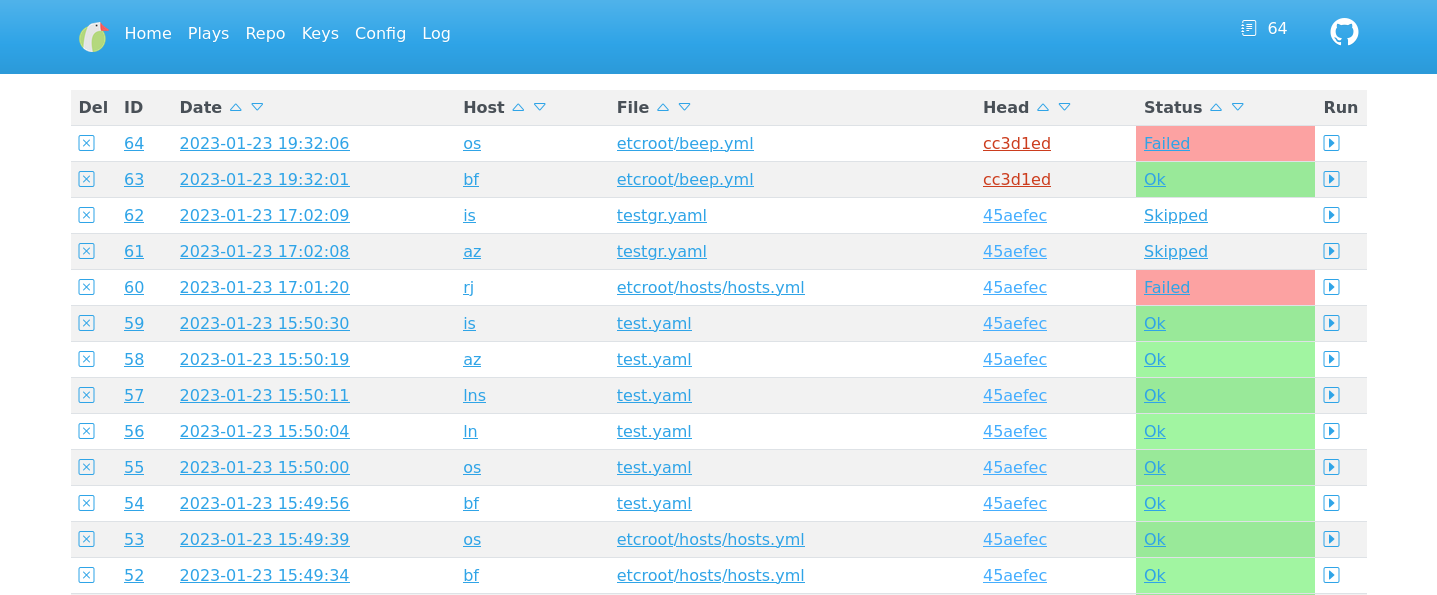
Quick start
Make sure /path/to/git/repo leads to your Ansible git repo.
docker run --name gans \
-e "TZ=Asia/Novosibirsk" \
-v ~/.dockerdata/gans:/data/gans \
-v /path/to/git/repo:/gitrepo \
-p 8845:8845 \
aceberg/gans
Or use docker-compose.yml
Usage
Web interface is pretty self-explanatory. If you know Ansible, you shouldn't have any problems.
Important things about gans:
- It supports only local git repos for now. If you need to work with remote repo, you can pull it regularly with git-syr or your own cron script.
- I decided not to parse Ansible Inventory to reduce errors, so you need to enter hosts and groups manually on
Repopage.Ganswill work only with those hosts. - SSH Keys are handled by Ansible Inventory or
ansible.cfg.Keyspage is only there to help you upload them and check their presence.
Example ansible.cfg and hosts.ini can also help. To work correctly ansible.cfg shoul be at the / of git repo.
Config
Configuration can be done through config file or environment variables
| Variable | Description | Default |
|---|---|---|
| DB | Path to Database | /data/gans/sqlite.db |
| HOST | Listen address | 0.0.0.0 |
| PORT | Port for web GUI | 8845 |
| THEME | Any theme name from https://bootswatch.com in lowcase | cerulean |
| SHOW | How many lines to show on index page | 25 |
| YAMLPATH | Path to file where git repo is described | /data/gans/repo.yaml |
| KEYPATH | Path to ssh keys directory | /data/gans/ssh |
| LOGPATH | Path to log file | /data/gans/gans.log |
| INTERVAL | Interval between repo scans (s, m, h) | 5s |
| TZ | Set your timezone for correct time | "" |
Options
| Key | Description | Default |
|---|---|---|
| -d | Path to SQLite DB file | /data/gans/sqlite.db |
| -c | Path to config file | /data/gans/config.yaml |
| -l | Path to log file | /data/gans/gans.log |
| -r | Path to repo yaml file | /data/gans/repo.yaml |
Thanks
- All go packages listed in dependencies
- Bootstrap
- Themes: Free themes for Bootstrap
- Favicon and logo: Goose icons created by Freepik - Flaticon
Tag summary
Content type
Image
Digest
sha256:384d4103e…
Size
86 MB
Last updated
over 3 years ago
docker pull aceberg/gans