aeciopires/ubuntu-grafana
Grafana no Ubuntu 24.04 LTS 64 bits
Image
1
843
aeciopires/ubuntu-grafana repository overview
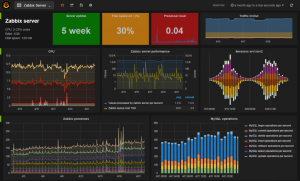
What is Grafana?
Grafana allows you to query, visualize, alert on and understand your metrics no matter where they are stored. Create, explore, and share beautiful dashboards with your team and foster a data driven culture.
The easiest way to get started is with Grafana Cloud, our fully composable observability stack.
What's in this image?
-
operating system: Ubuntu 24.04 LTS 64 bits
-
Packages:
- ca-certificates
- apt-utils
- net-tools
- gosu
- wget
- libfontconfig1
- musl
- Grafana
View Dockerfile: https://github.com/aeciopires/docker/blob/master/ubuntu-grafana
More information install Grafana: http://docs.grafana.org/installation/debian/
How to access Grafana?
- URL: http://localhost:3000 or http://ip-container:3000
- login: admin
- password: admin
Grafana details
- Installs binary to /usr/sbin/grafana-server
- Installs Init.d script to /etc/init.d/grafana-server
- Creates default file (environment vars) to /etc/default/grafana-server
- Installs configuration file to /etc/grafana/grafana.ini
- The default configuration sets the log file at /var/log/grafana/grafana.log
- The default configuration specifies an sqlite3 db at /var/lib/grafana/grafana.db
How to use image
- Create a conteiner:
a) In background:
docker container run -p 3000:3000 -d --rm --name grafana aeciopires/ubuntu-grafana:v11
or
b) Interactive:
docker container run -p 3000:3000 -i -t --rm --name grafana aeciopires/ubuntu-grafana:v11 /bin/bash
- Get logs of container:
docker container logs -f grafana
How to update the image?
- Clone the git repository:
git clone [email protected]:aeciopires/docker.git
cd docker/ubuntu-grafana/
- Generate new image:
docker image build -t aeciopires/ubuntu-grafana:v11 .
- List images.
docker image ls
- Send image for https://hub.docker.com:
docker login -u aeciopires
- Push image:
docker push aeciopires/ubuntu-grafana:v11
- Commit changes in Dockerfile:
git add *
git commit -m "MESSAGE"
git push
Reference:
Tag summary
Content type
Image
Digest
sha256:44dda934a…
Size
325.2 MB
Last updated
almost 2 years ago
docker pull aeciopires/ubuntu-grafana:v11