bellamy/scrob
Scrob - Self-hosted media tracking app. It syncs your libraries from Jellyfin, Plex, and Emby.
100K+
bellamy/scrob repository overview





Scrob syncs your libraries from Jellyfin, Plex, and Emby, tracks your watch history, ratings, and personal lists, and lets you push your activity back to Trakt — all from a clean, app-like web interface that installs as a PWA on any device.
Table of Contents
- Features
- Screenshots
- Getting Started
- Configuration
- Development
- Webhooks
- OIDC / Single Sign-On
- Contributing
- Contributors
- License
Features
- Multi-source sync: Import your full library, watch history, and ratings from Jellyfin, Plex, and Emby. Incremental syncs keep everything up to date.
- Real-time scrobbling: Webhooks from Jellyfin, Plex, and Emby update your watch state as you play — no manual sync needed.
- Trakt integration: Sync your watched history and ratings from Trakt, and push Scrob activity back to Trakt automatically.
- Watch history & ratings: Track every movie and episode you've watched. Rate them on a 10-point scale with optional reviews.
- Season ratings: Rate individual seasons separately from the overall show.
- Personal lists: Create and curate lists of movies and shows. Mark them public to share with other users on the same instance.
- Comments: Leave comments on movies, shows, seasons, and episodes.
- Social: Follow other users and see their activity.
- TMDB integration: Rich metadata for every title — posters, backdrops, cast, crew, trailers, collections, and more.
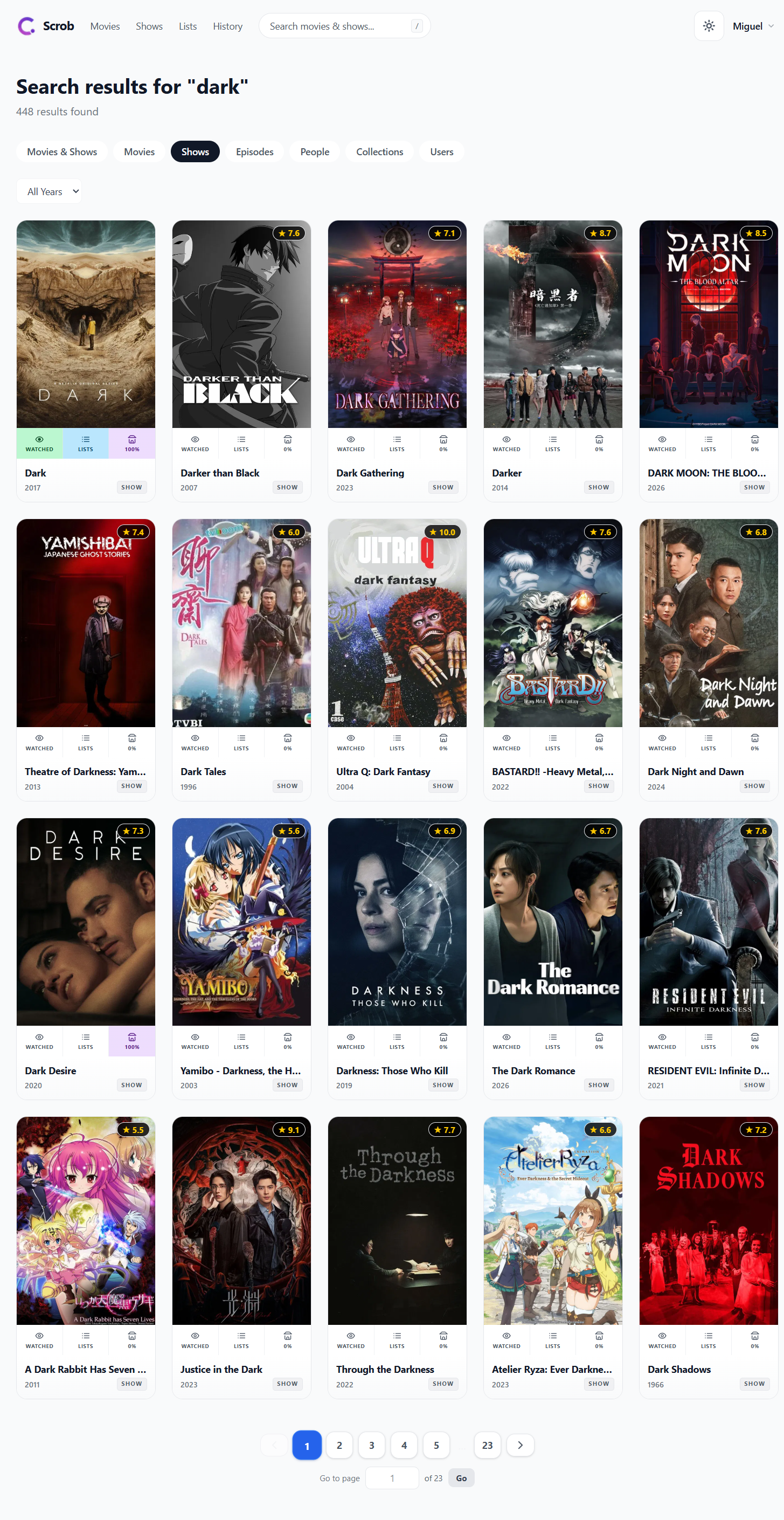
- Search: Search TMDB across movies, shows, people, and collections, merged with your local library data.
- Trending & Airing Today: Daily trending movies and shows from TMDB, plus episodes airing today filtered to your collection.
- Continue Watching & Next Up: Dashboard cards showing in-progress items and the next episode to watch in each series.
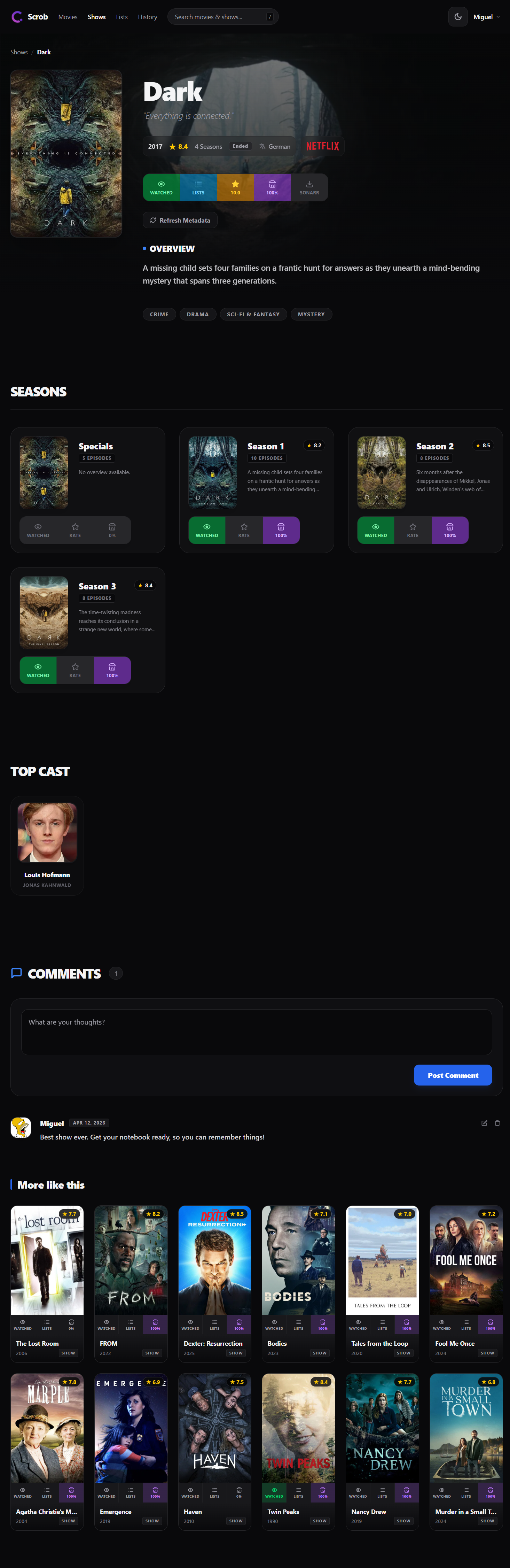
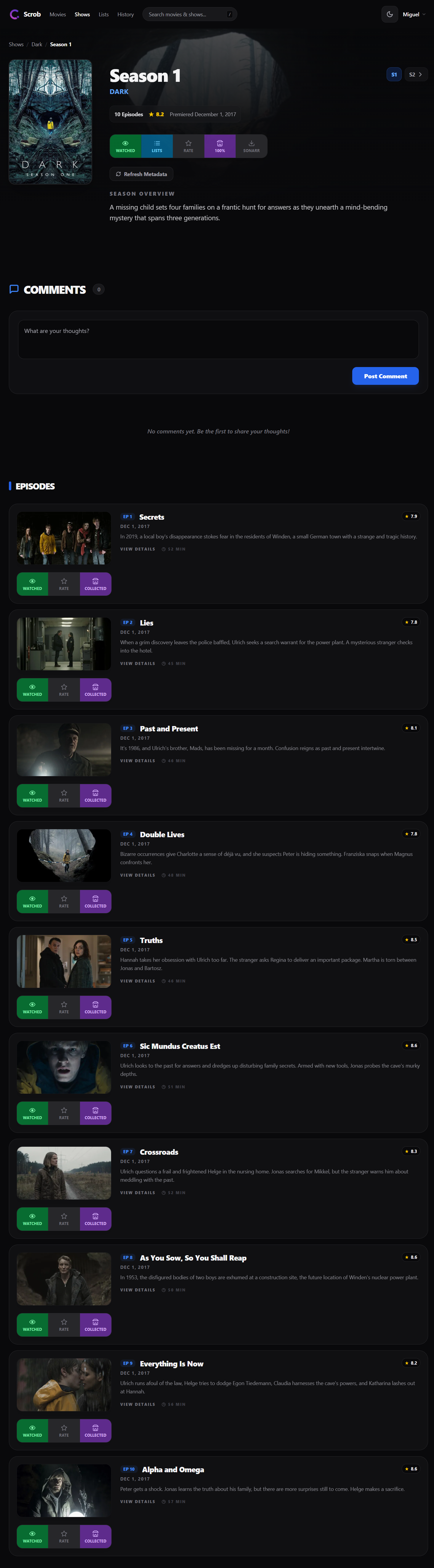
- Season & episode tracking: Detailed season views with per-episode watched state and progress.
- Cast & crew pages: Full filmography for any person, linked to your library.
- Radarr & Sonarr integration: Add movies and shows to Radarr/Sonarr directly from the Scrob UI.
- Two-Factor Authentication: TOTP-based 2FA with backup codes, managed from the settings page.
- OIDC / SSO: Authenticate with any OpenID Connect provider (Authelia, Authentik, Keycloak, etc.).
- Progressive Web App: Install Scrob on any device — Android, iOS, or desktop — for a native app feel.
- Single container: Frontend and backend ship as one image on one port. No separate services to manage.
Screenshots
View screenshots
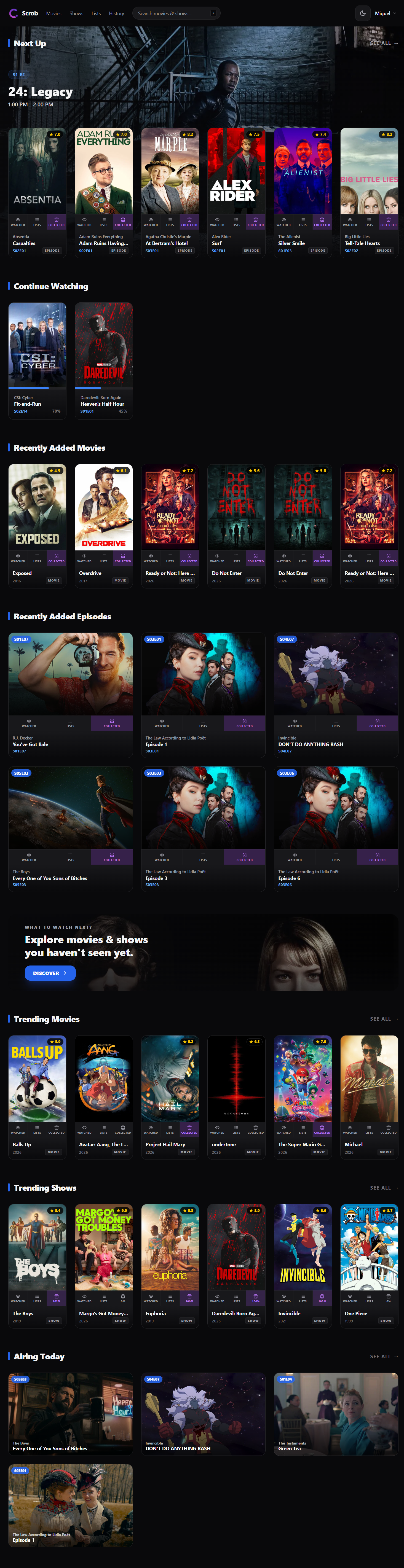
Dashboard
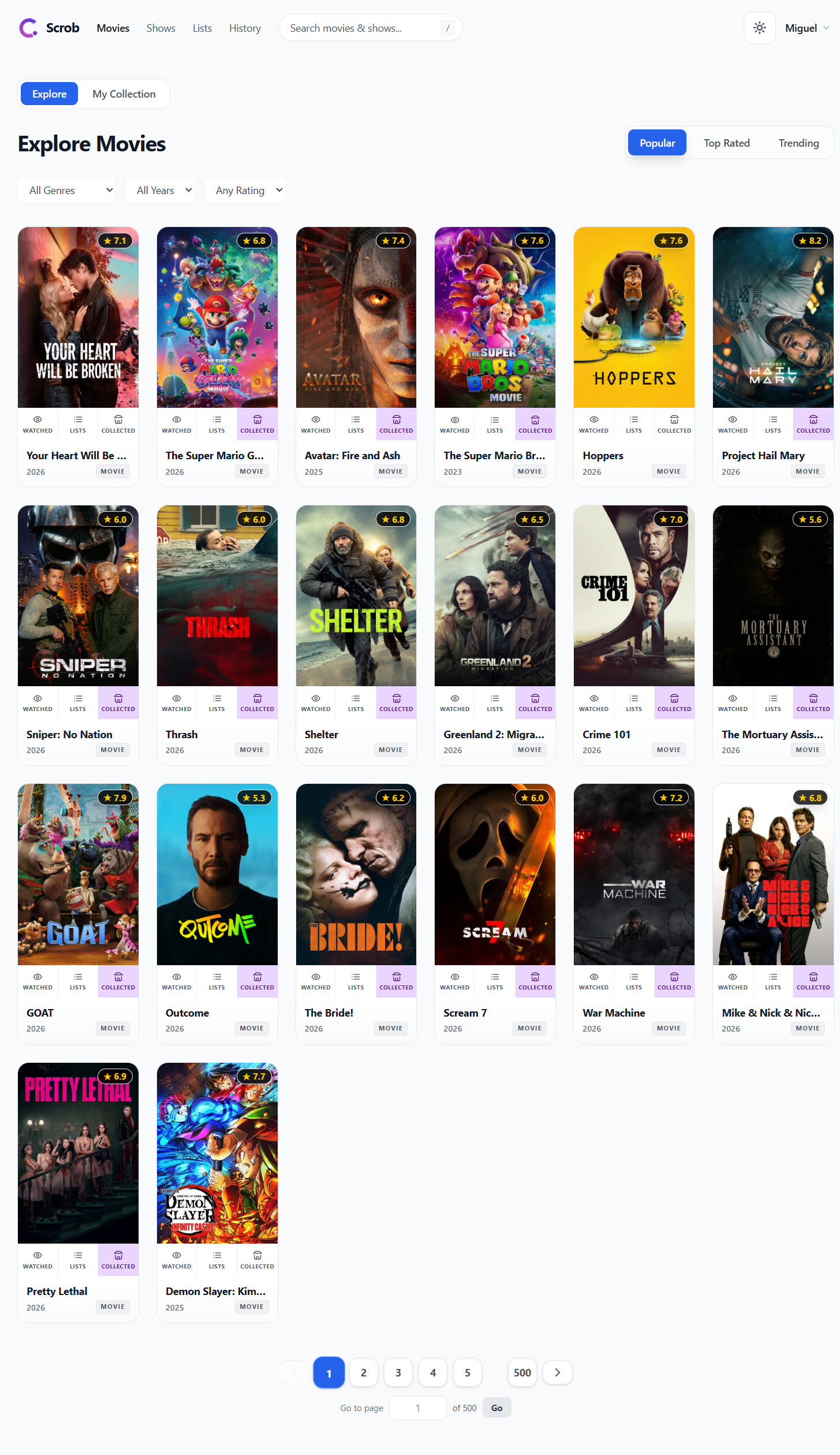
Explore
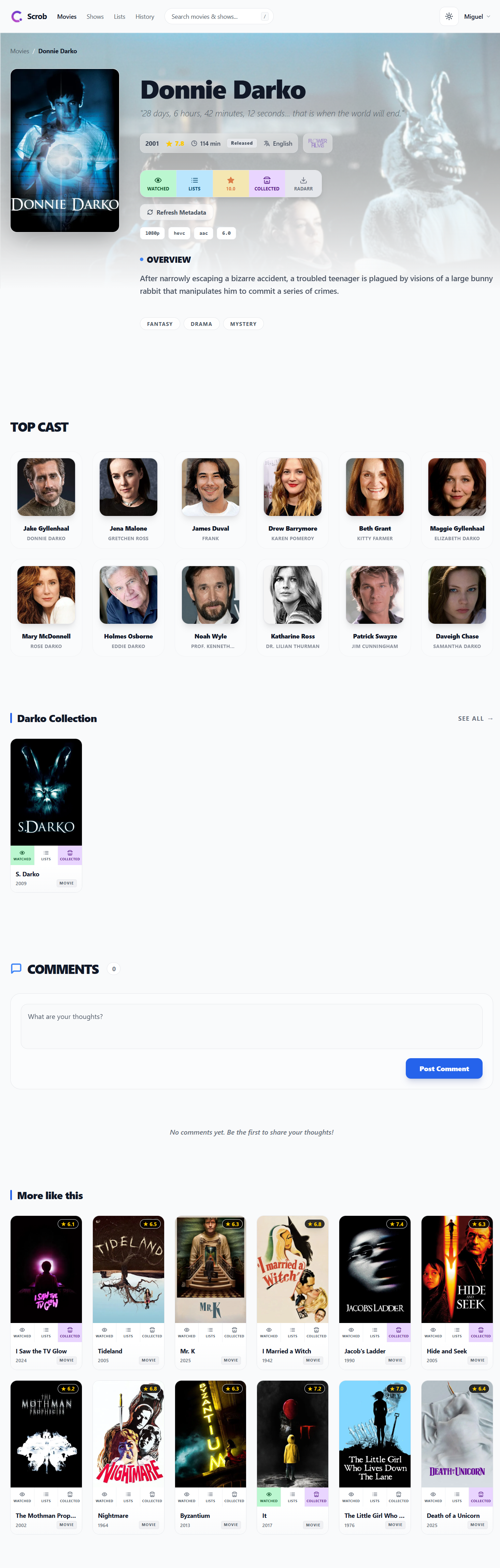
Movie
Show
Season
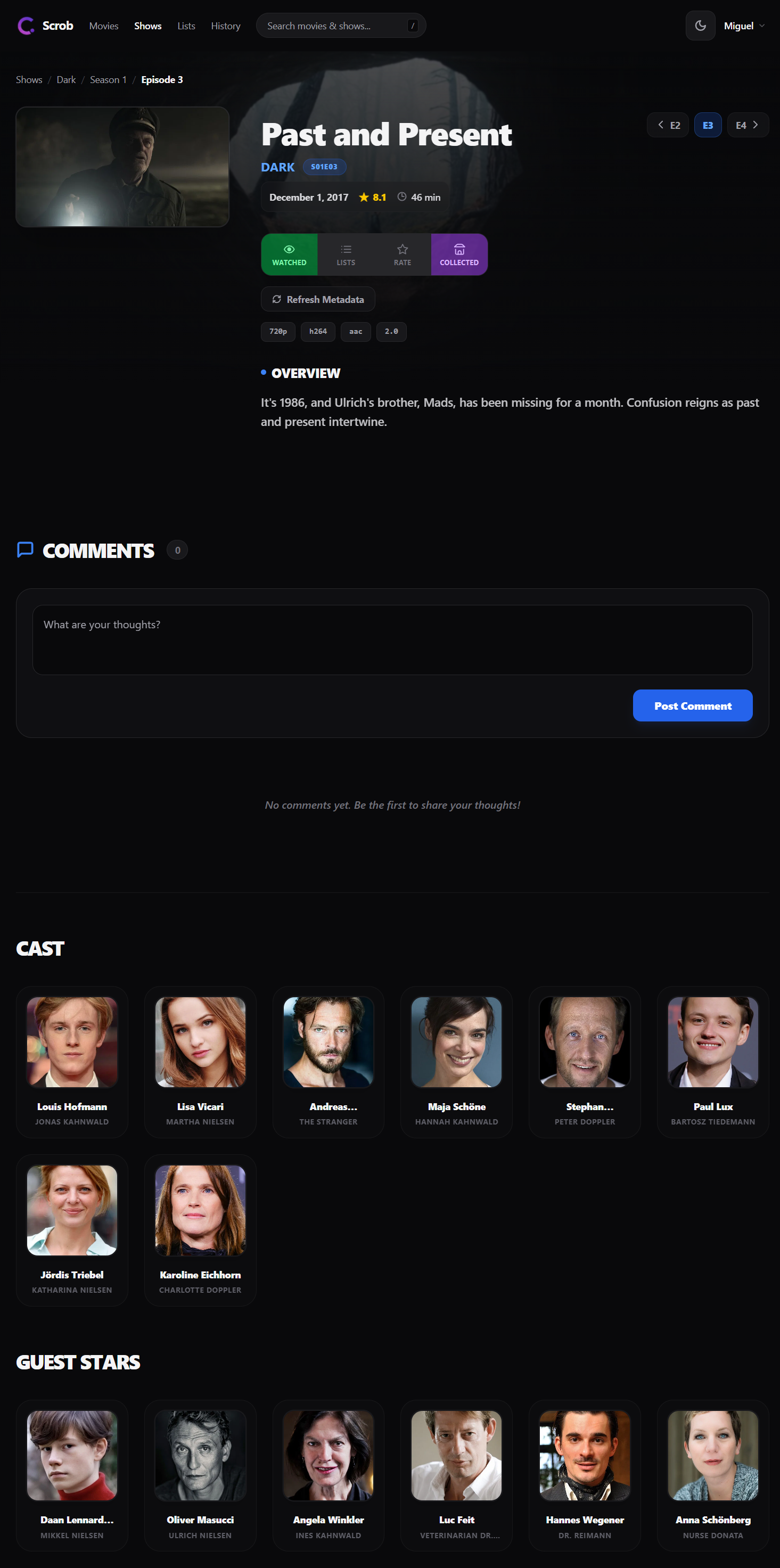
Episode
Search
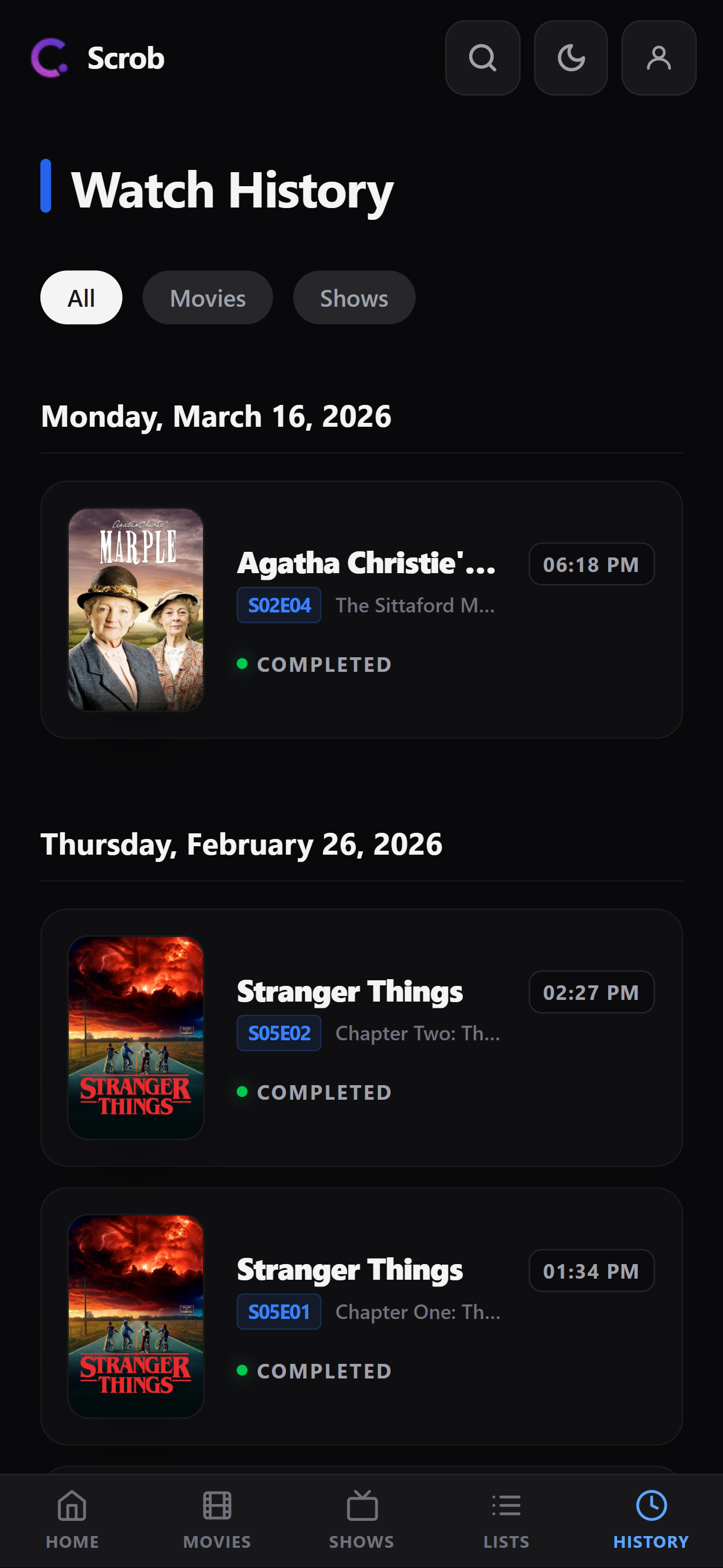
History (mobile)
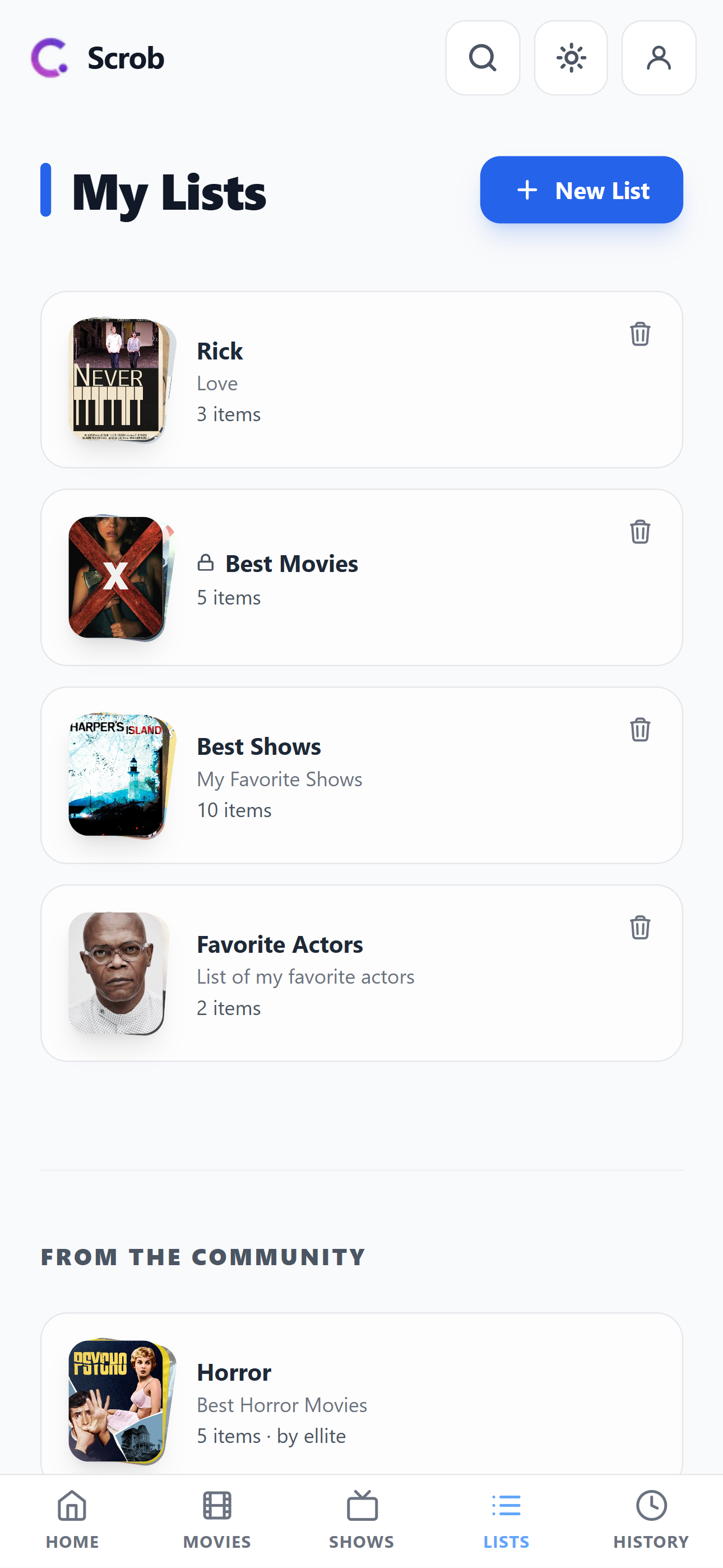
Lists (mobile)
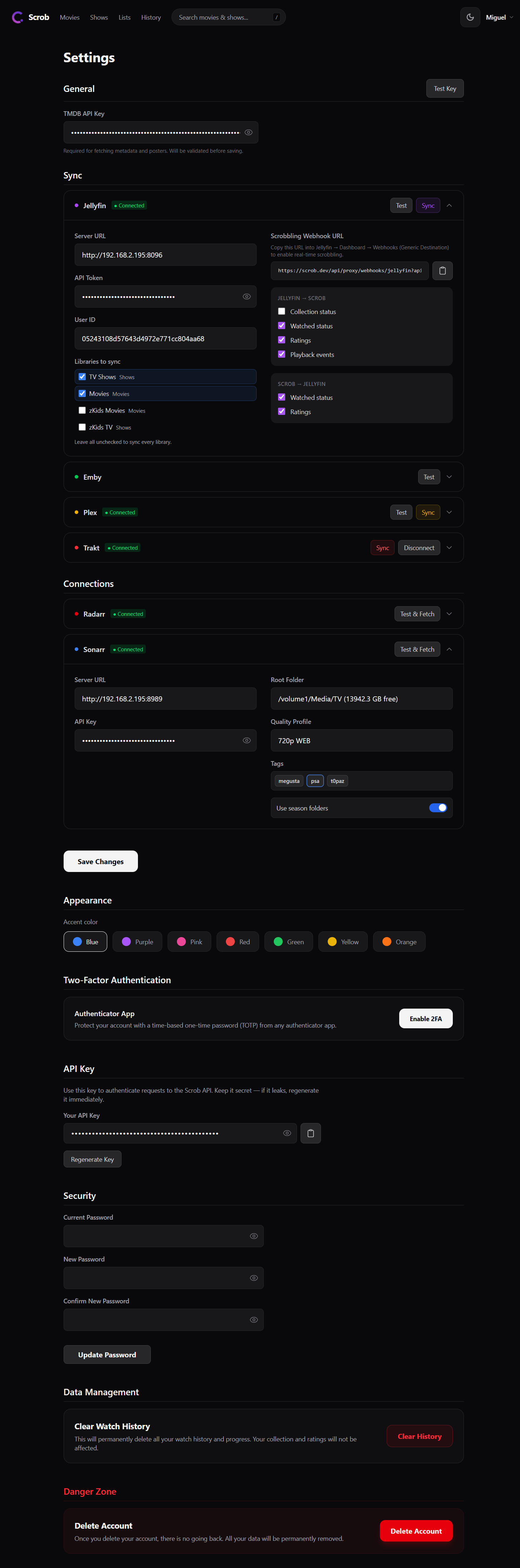
Settings
Getting Started
Prerequisites
- Docker and Docker Compose
- A TMDB API key (free) — used for metadata, search, and images
Docker Compose
Images are hosted on Docker Hub (
bellamy/scrob). A mirror is also available on GHCR (ghcr.io/ellite/scrob) if you prefer.
- Download the compose file:
curl -o docker-compose.yaml https://raw.githubusercontent.com/ellite/scrob/main/docker-compose.yaml
- Edit
docker-compose.yamland replace the required values:
services:
  scrob-db:
    container_name: scrob-db
    image: postgres:16-alpine
    restart: unless-stopped
    environment:
      POSTGRES_USER: scrob
      POSTGRES_PASSWORD: changeme        # ← change this
      POSTGRES_DB: scrob
    volumes:
      - db_data:/var/lib/postgresql/data
    healthcheck:
      test: ["CMD-SHELL", "pg_isready -U scrob -d scrob"]
      interval: 5s
      timeout: 5s
      retries: 10

  scrob:
    container_name: scrob
    image: bellamy/scrob:latest
    restart: unless-stopped
    depends_on:
      scrob-db:
        condition: service_healthy
    ports:
      - "7330:7330"
    environment:
      DATABASE_URL: postgresql+asyncpg://scrob:changeme@scrob-db:5432/scrob   # ← match password above
      SECRET_KEY: changeme               # ← generate with: openssl rand -hex 32
      TZ: UTC

volumes:
  db_data:
- Start:
docker compose up -d
Docker Run
# Create a dedicated network
docker network create scrob-net

# Start the database
docker run -d \
  --name scrob-db \
  --network scrob-net \
  --restart unless-stopped \
  -e POSTGRES_USER=scrob \
  -e POSTGRES_PASSWORD=changeme \
  -e POSTGRES_DB=scrob \
  -v scrob_db:/var/lib/postgresql/data \
  postgres:16-alpine

# Start Scrob
docker run -d \
  --name scrob \
  --network scrob-net \
  --restart unless-stopped \
  -p 7330:7330 \
  -e DATABASE_URL="postgresql+asyncpg://scrob:changeme@scrob-db:5432/scrob" \
  -e SECRET_KEY="$(openssl rand -hex 32)" \
  -e TZ=UTC \
  bellamy/scrob:latest
First Setup
- Open
http://localhost:7330and create your account. - Go to Settings → Integrations to add your TMDB API key and connect Jellyfin, Plex, or Emby.
- Select which libraries to sync, then trigger your first sync from Settings → Sync.
Updating
docker compose pull && docker compose up -d
Database migrations run automatically on startup — no manual steps required.
Configuration
| Variable | Default | Description |
|---|---|---|
SECRET_KEY | — | Required. JWT signing key. Generate with openssl rand -hex 32. |
DATABASE_URL | — | Required. PostgreSQL connection string (postgresql+asyncpg://...). |
ENABLE_REGISTRATIONS | true | Allow new users to register. The first user can always register regardless of this setting. |
REGISTRATION_MAX_ALLOWED_USERS | 0 | Maximum number of registered users. 0 = unlimited. |
TZ | UTC | Container timezone (e.g. Europe/Lisbon). |
PUID | 1000 | User ID to run the process as. |
PGID | 1000 | Group ID to run the process as. |
BACKEND_PORT | 7331 | Internal port the backend binds to. Override only if 7331 conflicts on bare metal. |
OIDC_ENABLED | false | Enable OIDC login. |
OIDC_DISABLE_PASSWORD_LOGIN | false | Enforce OIDC-only login (disables username/password). |
See docker-compose.yaml for the full list of OIDC variables and other variables.
Reverse proxy
Scrob listens on port 7330. Place a reverse proxy (Caddy, Nginx, Traefik) in front for HTTPS — required for the PWA install prompt on non-localhost addresses.
# Caddyfile
scrob.yourdomain.com {
    reverse_proxy localhost:7330
}
External PostgreSQL
Remove the scrob-db service and set DATABASE_URL to your existing instance:
DATABASE_URL: postgresql+asyncpg://user:password@your-db-host:5432/scrob
Webhooks (Real-time Scrobbling)
Webhooks update your watch history and Continue Watching in real time. Each user's webhook URL is shown in Settings next to the relevant integration.
https://your-scrob-url/api/proxy/webhooks/{jellyfin|plex|emby}?api_key=YOUR_API_KEY
Jellyfin
- In Jellyfin, go to Dashboard → Plugins → Catalogue, install Webhook, then restart.
- Go to Dashboard → Plugins → Webhook → Add Generic Destination.
- Paste your Scrob Jellyfin webhook URL.
- Enable notification types:
Playback Start,Playback Progress,Playback Stop,Mark Played. - Enable item types:
MoviesandEpisodes. - Leave the Template field blank and check "Send all properties (ignore templates)".
Do not use a custom template — Jellyfin's template engine produces invalid JSON. "Send all properties" sends a well-formed payload that Scrob parses correctly.
Plex
Plex webhooks require a Plex Pass subscription.
- Go to plex.tv/account → Webhooks → Add Webhook.
- Paste your Scrob Plex webhook URL.
- In Scrob → Settings, enter your Plex username so events are attributed to the right account.
Emby
- In Emby, go to Dashboard → Notifications → Add Notification → Webhook.
- Paste your Scrob Emby webhook URL.
- Enable events:
Playback Start,Playback Progress,Playback Stop.
OIDC / Single Sign-On
Scrob supports any OpenID Connect provider (Authelia, Authentik, Keycloak, Google, etc.).
OIDC_ENABLED: "true"
OIDC_PROVIDER_NAME: "Authelia"
OIDC_CLIENT_ID: "scrob"
OIDC_CLIENT_SECRET: "your-secret"
OIDC_AUTH_URL: "https://auth.yourdomain.com/api/oidc/authorization"
OIDC_TOKEN_URL: "https://auth.yourdomain.com/api/oidc/token"
OIDC_USERINFO_URL: "https://auth.yourdomain.com/api/oidc/userinfo"
OIDC_REDIRECT_URL: "https://scrob.yourdomain.com/oidc-callback"
OIDC_AUTO_CREATE_USERS: "true"
# OIDC_DISABLE_PASSWORD_LOGIN: "true"  # uncomment to enforce SSO-only
Register Scrob as a client in your provider with redirect URI: https://scrob.yourdomain.com/oidc-callback
Contributing
Contributions are welcome — whether it's a bug report, a feature request, or a pull request.
- Issues: Open an issue for bugs, questions, or feature ideas.
- Pull Requests: Fork the repo, create a branch, and submit a PR. Please follow the existing code style (Astro components for UI, FastAPI for backend) and make sure all browser-initiated API calls go through
/api/proxy/.
Commit messages follow Conventional Commits — feat:, fix:, chore: — as releases and changelogs are generated automatically from them.
Development
View instructions
Requirements
- Python 3.12+, uv
- Node.js 22+
- PostgreSQL 16 (via Docker is easiest)
Setup
git clone https://github.com/ellite/scrob.git
cd scrob

# Start a local database
docker compose -f docker-compose-test-db.yaml up -d

# Copy and fill in the environment file
cp .env.exanple .env
# Edit .env — set POSTGRES_* and SECRET_KEY at minimum
Backend
cd backend
uv sync
uv run alembic upgrade head
uv run uvicorn main:app --reload --port 7331
Frontend
cd frontend
npm install
npm run dev
The frontend dev server starts on http://localhost:4321 and proxies API calls to the backend on 7331.
License
Scrob is licensed under the GNU General Public License v3.0.
You are free to use, modify, and distribute Scrob, provided that any derivative works are also released under the GPLv3.
Links
- The author: henrique.pt
- Scrob Landingpage: scrob.app
- Join the conversation: Discord Server
Tag summary
Content type
Image
Digest
sha256:ea6261bf7…
Size
216.6 MB
Last updated
about 15 hours ago
docker pull bellamy/scrob