cplieger/web-terminal-server
Generic web terminal: runs a command in a PTY, serves a touch-first browser UI
50K+
cplieger/web-terminal-server repository overview
web-terminal-server
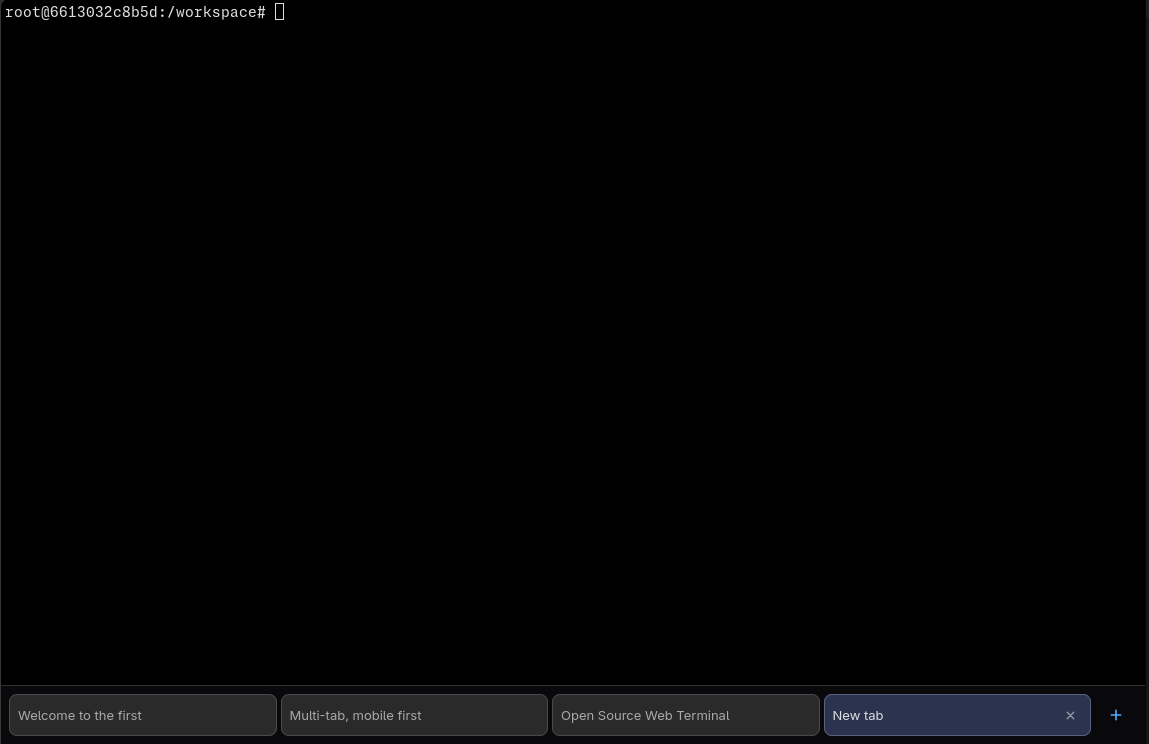
A small, generic web terminal: it runs a configured command in a PTY and serves
the @cplieger/web-terminal-ui
front end over HTTP + WebSocket, built on the
github.com/cplieger/web-terminal-engine
engine. A native-touch terminal in the browser for any command, on phone and
desktop alike.
Published as a multi-arch (amd64 + arm64) container image on GHCR (ghcr.io/cplieger/web-terminal-server) and Docker Hub (cplieger/web-terminal-server).
⚠️ Security: this is a remote shell
Anyone who can reach the server and pass auth (if configured) gets an
interactive process running SESSION_CMD with this server's privileges. Treat it
like exposing SSH.
- The binary binds
127.0.0.1by default. Reachable only from the same host until you changeLISTEN_ADDR. - The container image binds
:7681(it has to, to be reachable via a published port) and so is unauthenticated and network-exposed by default. Before exposing it beyond a trusted host, do one of:- set
AUTH_PASSWORD(enables HTTP Basic auth on every route, including the WebSocket handshake), and/or - front it with an authenticating reverse proxy (Caddy + forward-auth, oauth2-proxy, Authentik, …), and/or
- keep the published port bound to loopback / a private network only.
- set
- The server logs a loud warning at startup when it is listening on a
non-loopback address without
AUTH_PASSWORDset. - Each session's recent output (200 lines) is kept in the browser's
localStorageby default so a reloaded tab does not refill over the wire. It is readable from that browser without passingAUTH_PASSWORDand outlives the tab; setPERSIST_SCROLLBACK=falseon a shared device or where storing command output at rest is unacceptable. See Persisted scrollback. - DNS rebinding reaches even loopback binds through your own browser: an
attacker's page makes its hostname resolve to this server, and same-origin
checks then pass because
OriginandHostagree. SetALLOWED_HOSTSto the exact hostnames you browse to (rejects every otherHost), or setAUTH_PASSWORD(the attacker's page cannot present credentials). The server warns at startup when neither is set.
Built-in Basic auth is a convenience for simple setups; a reverse proxy with
real identity is the recommended posture for anything internet-facing. The
process runs as the container user (root by default); restrict it with a
non-root SESSION_CMD target, a read-only root filesystem, dropped capabilities,
and a scoped work directory as your threat model requires.
What it does
It starts one command per terminal tab in a real PTY and streams that terminal to a browser: full VT screen buffer, scrollback, mouse, colours and clickable hyperlinks, driven by touch on a phone as well as a keyboard on a desktop. Tabs live on the server, so closing the page does not kill what is running, and reopening it reattaches to the same terminals from any device.
It is deliberately thin. The terminal itself is two shared libraries (the engine and its reference UI); this repo is two small Go files that start the PTY, serve the bundled front end, and apply the security posture described above.
Pull
docker pull cplieger/web-terminal-server:latest
Also published to ghcr.io/cplieger/web-terminal-server with identical images and tags. Release versions are tagged vX.Y.Z alongside latest.
Quick start
# Example compose for web-terminal-server. See the README for all configuration options and hardening.
services:
  web-terminal-server:
    image: ghcr.io/cplieger/web-terminal-server:latest
    container_name: web-terminal-server
    restart: unless-stopped
    # Required, not optional. Whatever the shell runs can orphan a child, and the
    # server waits only for its own; without an init it is PID 1 and those orphans
    # stay zombies for the container's life. See README "Run".
    init: true

    environment:
      # Set this. Without it every route, including the terminal WebSocket, is unauthenticated.
      AUTH_PASSWORD: "your-terminal-password"
      # Exact hostnames this server answers for: the DNS-rebinding guard. Loopback is always admitted.
      ALLOWED_HOSTS: "localhost,term.example.com"
      # Working directory for the shell. Must exist in the container.
      WORK_DIR: "/work"

    ports:
      # Loopback only. A shell behind basic auth still does not belong on an untrusted network;
      # see README "Security: this is a remote shell" for the reverse-proxy setup.
      - "127.0.0.1:7681:7681"

    volumes:
      # The container runs as root, so files the shell creates here are root-owned on the host.
      - "./work:/work"
Documentation
- Full documentation — configuration, behavior, security
- Contributing
- Releases and changelog
License
MPL-2.0. See LICENSE. The image carries the license text of every
bundled component under /usr/share/licenses/.
The image redistributes two web fonts under their own licences, each served
beside the font it covers. Monaspace Neon NF is under the SIL Open Font License
1.1 (/vendor/fonts/MonaspaceNeonNF-LICENSE). Web Terminal Glyphs, the tiling
overlay listed ahead of it, is under Apache-2.0
(/vendor/fonts/WebTerminalGlyphs-LICENSE, with its
/vendor/fonts/WebTerminalGlyphs-NOTICE).
Tag summary
Content type
Image
Digest
sha256:0720a8780…
Size
43.1 MB
Last updated
about 6 hours ago
docker pull cplieger/web-terminal-server