d3vilh/wireguard-ui-arm
WireGuard + UI container for ARM64v8
Image
0
2.3K
d3vilh/wireguard-ui-arm repository overview
Wireguard VPN
Setup is based on wireguard-ui project which does have a nice web interface to manage the VPN and embedded WireGuard server binaries. Web-UI is accessible from the outside via port :5000 on the public IP address of the Raspberry-Gateway server, the WireGuard port is the standard port :51820.
docker-compose
---
version: "3.5"

services:
  wireguard-ui:
    image: d3vilh/wireguard-ui-arm:latest
    container_name: wireguard-ui
    cap_add:
      - NET_ADMIN
      - SYS_MODULE
    environment:
      - PUID=1000
      - PGID=1000
      - TZ='Europe/Kiev'
      - SERVERURL='wg.example.com'
      - WGUI_USERNAME=admin
      - WGUI_PASSWORD=SecretPa$$w0rd
      - WGUI_SERVER_LISTEN_PORT=51820
      - WGUI_MANAGE_START=true
      - WGUI_MANAGE_RESTART=true
    volumes:
      - ./db:/app/db
      - ./config:/etc/wireguard
      - /lib/modules:/lib/modules
    ports:
      - '5000:5000'
      - '51820:51820/udp'
    sysctls:
       - net.ipv4.conf.all.src_valid_mark=1
    restart: unless-stopped
wireguard-ui
A web user interface to manage your WireGuard setup.
Features
- Friendly UI
- Authentication
- Manage extra client information (name, email, etc)
- Retrieve client config using QR code / file / email
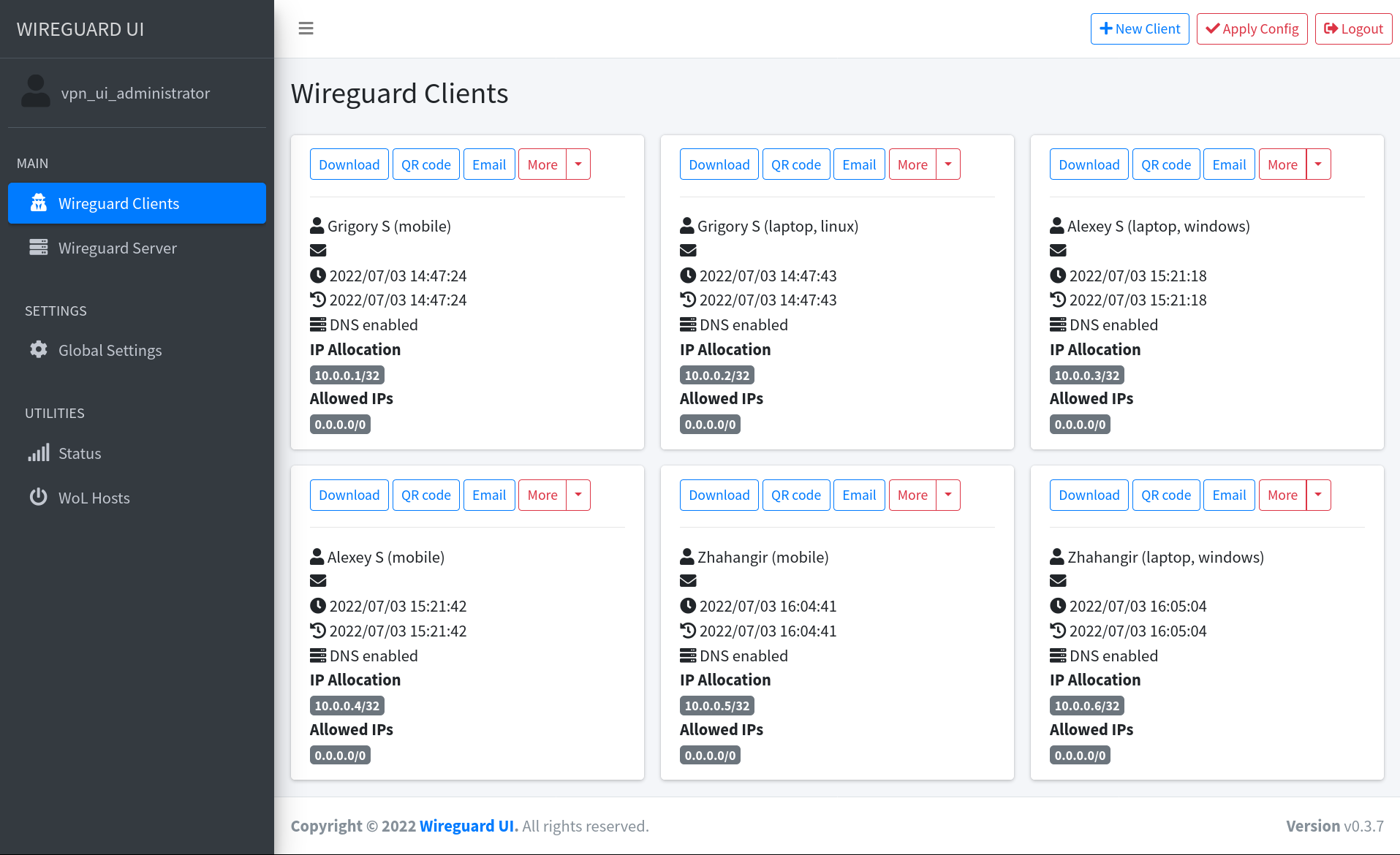
Full wireguard-ui documentation is available on project's GitHub page. Kudos to all the contributors of the wireguard-ui project and @ngoduykhanh for the great work and coordination.
Tag summary
Content type
Image
Digest
sha256:81c572cb9…
Size
24.6 MB
Last updated
about 3 years ago
docker pull d3vilh/wireguard-ui-arm