helloz/nsfw
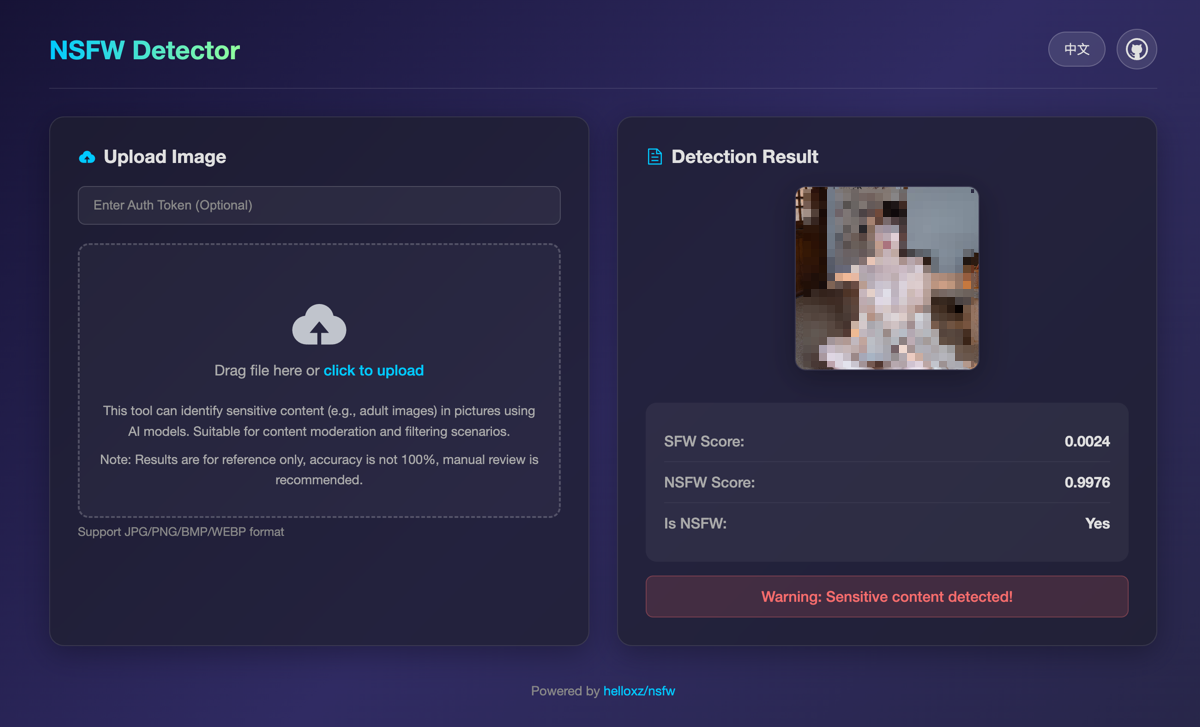
Lightweight NSFW detection solution, supporting private deployment and HTTP API calls.
5.1K
helloz/nsfw repository overview
helloxz/nsfw
About
This project is based on AdamCodd/vit-base-nsfw-detector/ and exposes an HTTP API for NSFW image detection. It is suitable for CPU-only inference and provides a lightweight implementation.
AdamCodd/vit-base-nsfw-detector is a conservative NSFW detection model based on the ViT architecture. It can recognize sensitive content in real photos and illustrations but is less accurate for AI-generated images.
Note: In practice, it can detect most pornographic images. Subjectively, its accuracy feels higher than Open NSFW, but it is not 100% precise (there is no perfectly accurate solution at present). It is recommended to combine machine pre-screening with human review.
Features
- CPU-only inference, suitable for most cloud servers or VPS
- Supported image types: jpg/png/bmp/webp
- HTTP API support
- Optional authentication
- Lightweight with low resource usage
- Fast inference
- Supports private deployment via Docker
Self-hosting
Run with Docker
docker run -d \
  --name nsfw \
  -p 6086:6086 \
  --restart always \
  helloz/nsfw
Run with Docker Compose (recommended)
Create docker-compose.yaml with the following content:
services:
  nsfw:
    container_name: nsfw
    image: helloz/nsfw
    ports:
      - "6086:6086"
    # Environment variables
    environment:
      - TOKEN=your_token_here
      - WORKERS=1
    restart: always
Then start: docker-compose up -d
Environment variables
TOKEN: Authentication token (set your own string). If not set, authentication is disabled.WORKERS: Number of worker processes, default 1. Increase this for multi-core CPUs.
WEBUI: Whether to enable the WEBUI, the parameter value isoff/on, default isoff(disabled).
HTTP API
Check via URL
Without authentication:
curl 'http://localhost:6086/api/url_check?url=https://www.imgurl.org/static/images/logo.png'
With authentication:
curl 'http://localhost:6086/api/url_check?url=https://www.imgurl.org/static/images/logo.png' \
--header 'Authorization: Bearer your_token_here'
Check by uploading an image file
curl --location --request POST 'http://localhost:6086/api/upload_check' \
--header 'Authorization: Bearer xxx' \
--form 'file=@"/Users/zhangsan/Downloads/2660b27f2e5b24ac.jpeg"'
Response
{
  "code": 200,
  "msg": "success",
  "data": {
    "sfw": 0.0014,
    "nsfw": 0.9986,
    "is_nsfw": true
  }
}
- code: Status code. 200 means success; other codes indicate failure.
- msg: Message. On error, contains the specific reason.
- data.sfw: Safety score [0.0–1.0]. Higher means safer.
- data.nsfw: Risk score [0.0–1.0]. Higher means more risky.
- is_nsfw: Considered NSFW when nsfw >= 0.8. You can also decide based on the nsfw score threshold that fits your use case.
Demo
- Test URL: https://nsfw.demo.mba
The demo is rate limited and for testing only. Do not use it for other purposes.
Notice
This project is for learning and testing only. Do not use it for commercial or production environments. You assume all related risks and liabilities.
Other projects
If you are interested, check out our other products:
Tag summary
Content type
Image
Digest
sha256:93faae8dd…
Size
358.6 MB
Last updated
9 months ago
docker pull helloz/nsfw