marctv/minecraft-bedrock-server
Minecraft Bedrock Server. Always up-to-date Minecraft server for Windows, iOS, Android, PS and Xbox.
1M+
marctv/minecraft-bedrock-server repository overview
Minecraft Bedrock Server Docker Image 1.2X+
- Always up-to-date.
- YouTube Video Tutorial https://youtu.be/jbyuWkF0RNQ
- Tutorial (german) https://marc.tv/anleitung-minecraft-bedrock-server-auf-einem-synology-nas/
- GitHub https://github.com/mtoensing/Docker-Minecraft-Bedrock-Server
- Support https://github.com/mtoensing/Docker-Minecraft-Bedrock-Server/issues
How do I update the container?
- Re-download the image from the docker
- Stop the container
- Clear the container
- Start the container
Docker Run Command
Notice: the files allowlist.json and server.properties have to exist for this command to work.
docker run -d \
  --name mcbedrock \
  --restart=unless-stopped \
  -e TZ="Europe/Berlin" \
  -p 19132:19132/tcp \
  -p 19132:19132/udp \
  -v /home/docker/mcserver-bedock/allowlist.json:/bedrock-server/allowlist.json:rw \
  -v /home/docker/mcserver-bedock/server.properties:/bedrock-server/server.properties:rw \
  -v /home/docker/mcserver-bedock:/bedrock-server/worlds:rw \
  marctv/minecraft-bedrock-server:latest
Video: How to install the BEDROCK Server on a Synology NAS
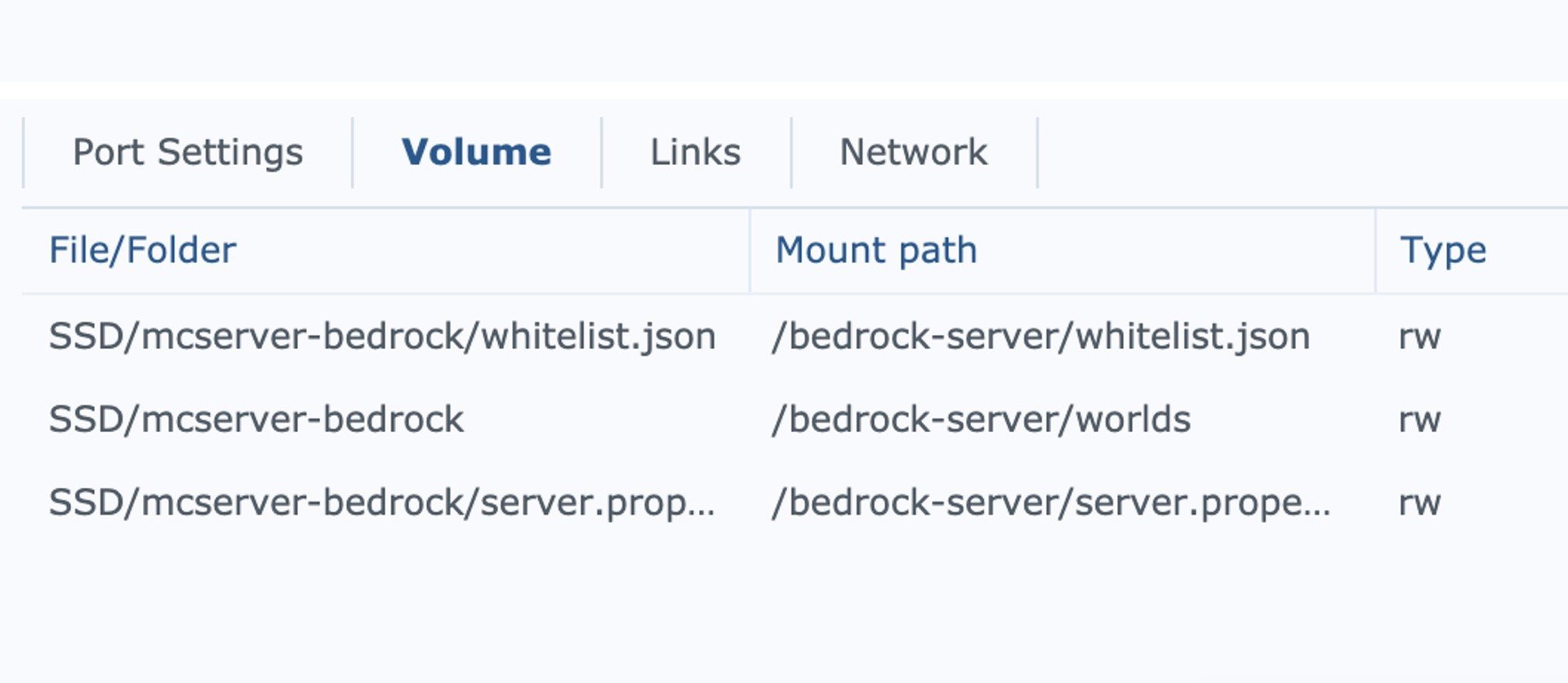
Volumes
Worlds
- Local folder: /volume1/docker/bedrockserver/worlds
- Mount path: /bedrock-server/worlds
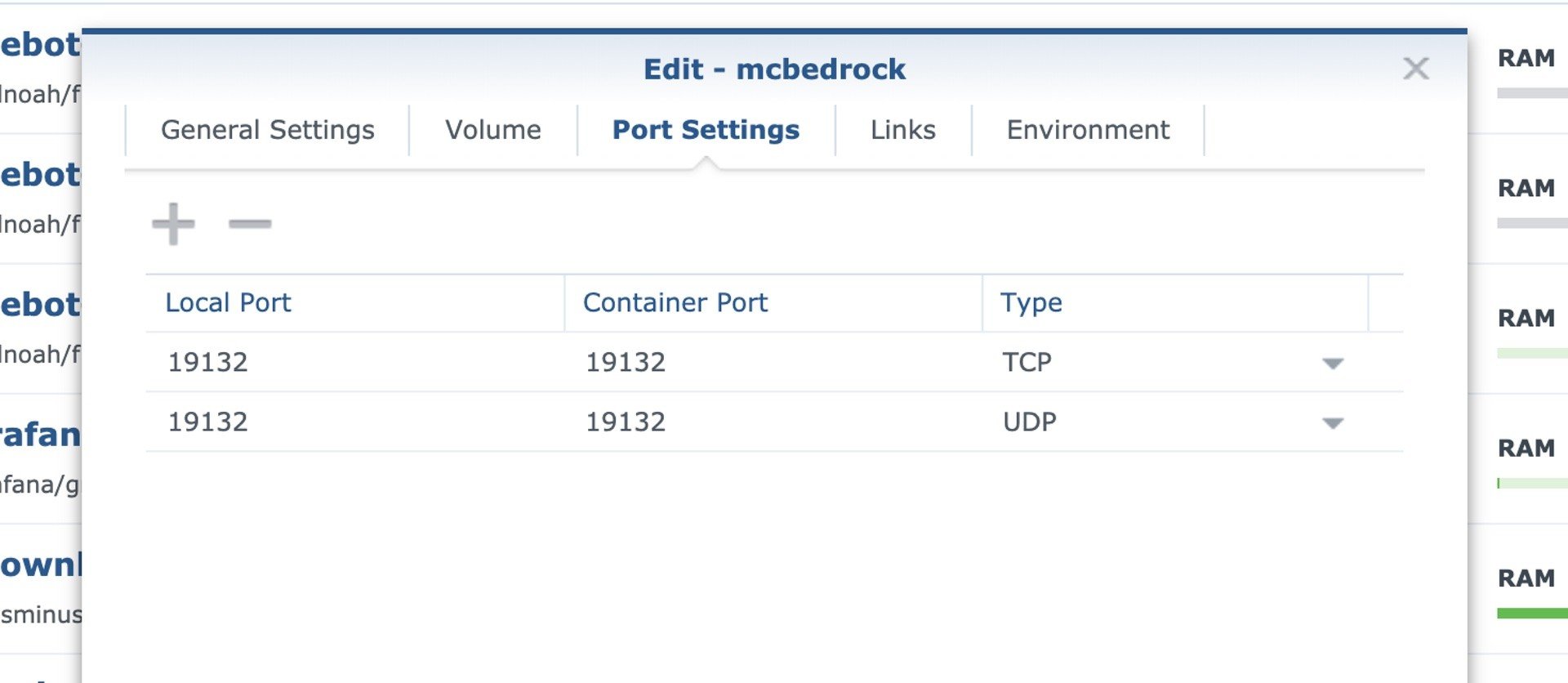
Port Settings
TCP
- Local Port: 19132 TCP
- Container Port: 19132 TCP
UDP
- Local Port: 19132 UDP
- Container Port: 19132 UDP
Open these ports of the local ip of your NAS to the internet in your router. Consult the manual of your router for this.
Optional: edit server.properties and allowlist.json
To edit the server.properties and allowlist.json you have to add them locally on your NAS and mount these files in the container.
Download these files and place them in the parent folder of your bedrock docker folder. e.g.
Worlds
- Local folder: /volume1/docker/bedrockserver/worlds
- Mount path: /bedrock-server/worlds
server.properties
- Local file server.properties: /volume1/docker/bedrockserver/server.properties
- Mount path: /bedrock-server/server.properties
allowlist.json
- Local file allowlist.json: /volume1/docker/bedrockserver/allowlist.json
- Mount path: /bedrock-server/allowlist.json
You can edit the server.properties on you NAS directly after you shut down the server. You can edit specific options like gamemode (creative or survival) or enable the allowlist. The later is highly recommended if you plan to open the ports to the internet.
Add someone to the allowlist and grant user admin rights
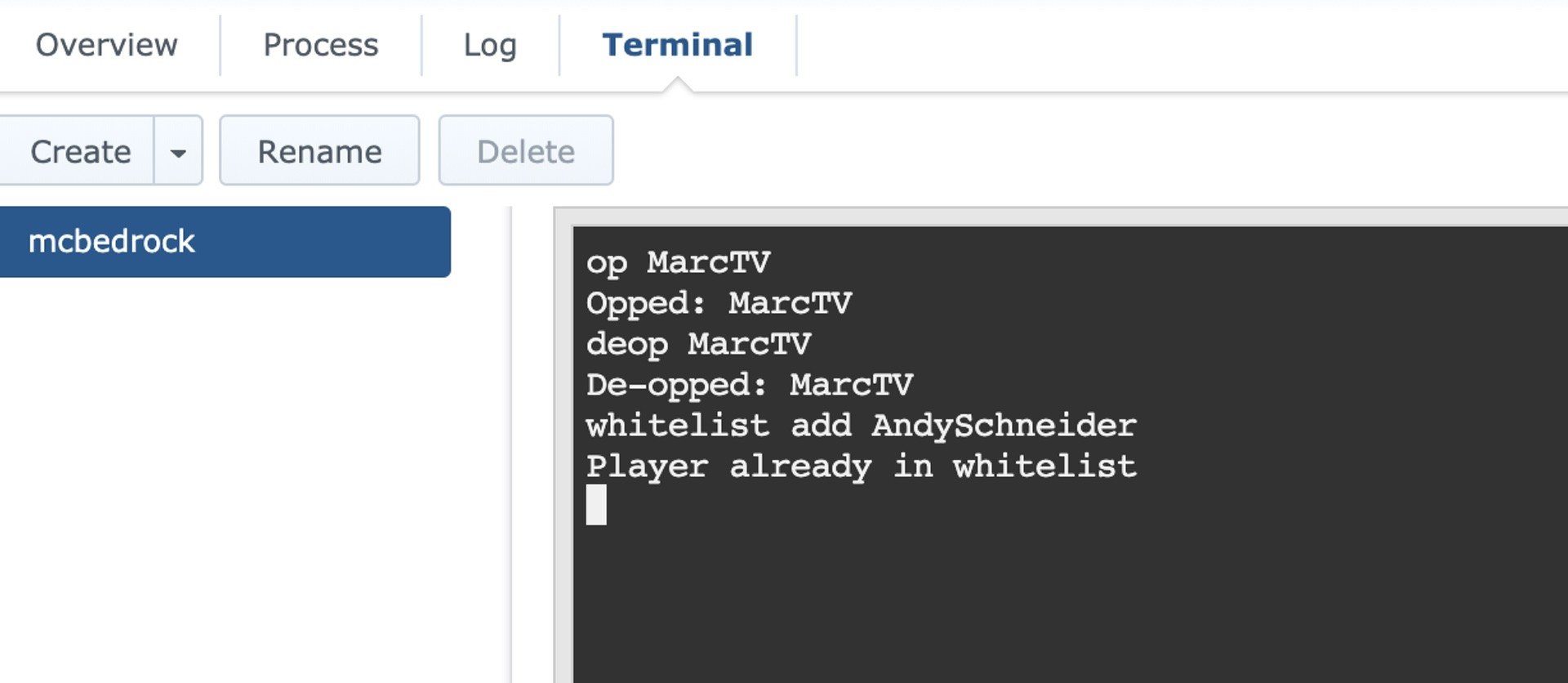
You can enter commands in terminal on Synology on your Docker Container. Add users to the allowlist and do not edit the allowlist.json manually:
allowlist add [xbox playername]
e.g. allowlist add MarcTV
op [xbox playername]
e.g. op MarcTV
This only works if the user is online.
Tag summary
Content type
Image
Digest
sha256:233792fd3…
Size
249.1 MB
Last updated
4 days ago
docker pull marctv/minecraft-bedrock-server