nicxx2/signal-arcade
Local-first Solana paper-trading lab with explainable decisions and learning.
1.5K
nicxx2/signal-arcade repository overview
🧠 Signal Arcade v1.10.10
A local-first Solana paper-trading lab where every decision leaves evidence.
Signal Arcade watches official Pump and PumpSwap events, ranks opportunities with a deterministic Baseline, simulates fee-aware paper fills, and learns from recorded outcomes.
An optional local AI Coach researches ideas outside the trading decision path. No wallet keys, live orders, paid provider or cloud AI are required.
GitHub repository · Releases · Full documentation
Paper trading only. Results and model improvements do not guarantee future profit.
What's new in v1.10.10
- Champion Impact: compare each active skill or the combined team on the same recorded opportunities. View modeled outcomes after fees, coverage, sample counts and uncertainty.
- Current Pump/PumpSwap account support: reviewed creator-fee and holder-reward extensions improve compatibility with current reserve accounts. Legacy layouts remain supported; unknown layouts remain excluded.
- Fairer Entry validation: Linear, XGBoost and Baseline share corrected top-group tie handling that cannot use future returns to decide prediction ties.
- Correct veto scoring: unsupported Entry and Manipulation proposals receive the Baseline fallback outcome they would actually use.
- Durable Champion activation: skill authority and dependencies are committed before support is applied. Failed safety saves keep affected support disabled while persistence retries.
- Better Coach evidence: new studies collect eligible Policy opportunities after selection, preserve pending and unavailable outcomes, and resume bounded collection after restart.
- More opportunities for research: freshly verified extended holds can permit Coach work while pending orders, hard exits, training and market pressure retain priority.
- Less repeated work: avoid idle learning-worker dispatches between checkpoints and repeated feature validation within one dashboard response.
- Clearer diagnostics: distinguish collection lanes, checkpoint horizons, RPC failure stages, unsupported account layouts and slow processing steps.
- Automatic dashboard recovery: interrupted live connections recover without a reload, with bounded retries and an Auto refresh fallback.
- Clearer Champion states: separate paused learning, suspended support and Champions awaiting activation proof.
The 70% coverage requirement, fees, chronological training, independent proof, Baseline boundaries and hard-exit protections remain in place.
Explore the app
- Arena: follow the paper engine, open positions, bankroll and season progress.
- Decisions: inspect the evidence and reasons behind saved decisions.
- Results: see actual paper-account performance and recorded strategy use.
- Learning: inspect training, proof gates, Challenger battles, Champions and Champion Impact.
- Replay: review recorded battles, decisions and paper execution.
- Settings: manage providers, optional local models, diagnostics and upgrades.
The interface supports desktop and mobile browsers.
📸 See it in action
Interface screenshots captured from v1.10.7 on 7 September 2026. They show real paper-app data at capture time; the current release is v1.10.10.
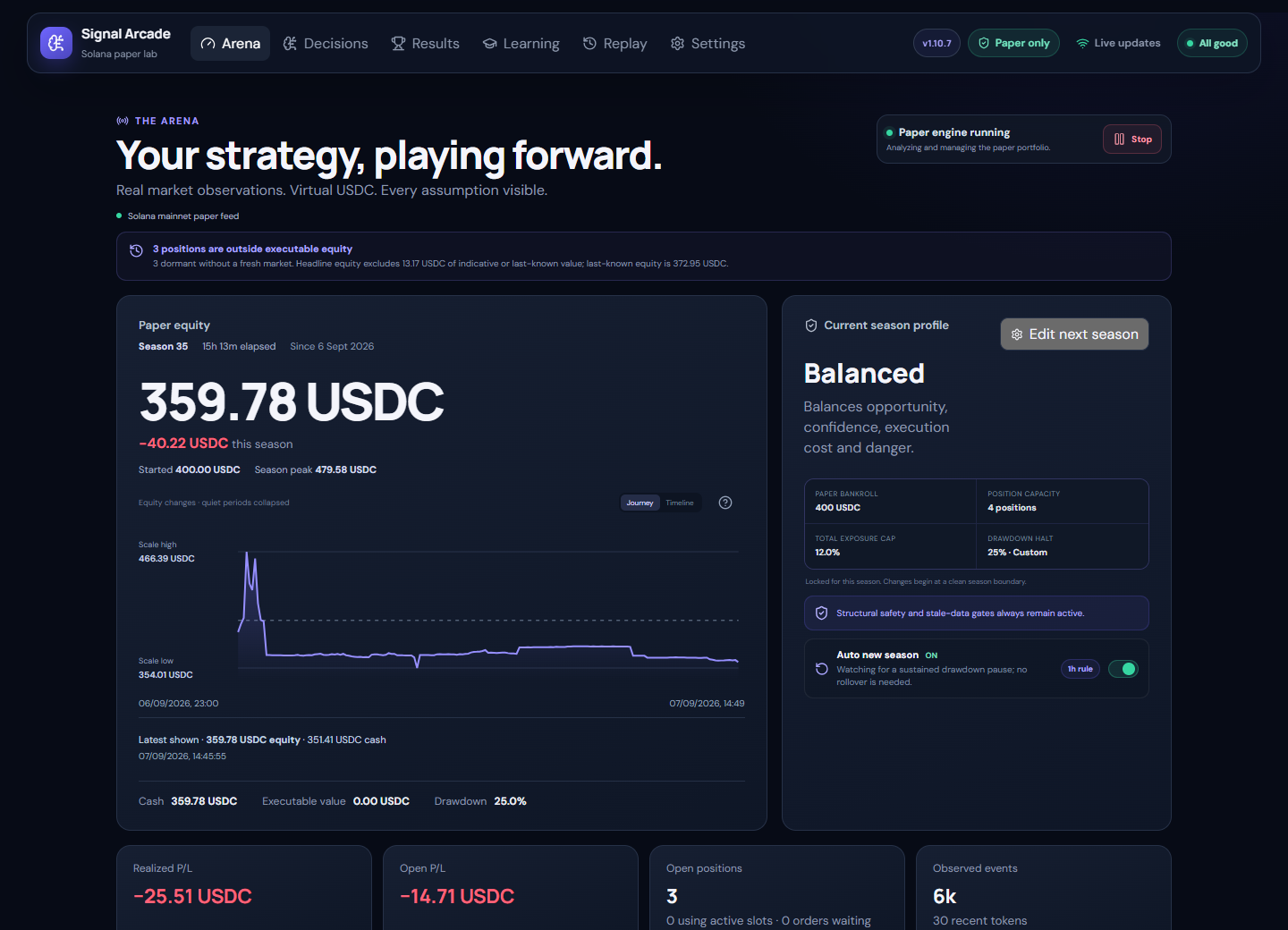
The Arena
Follow paper equity, open positions, season progress and recent decisions.
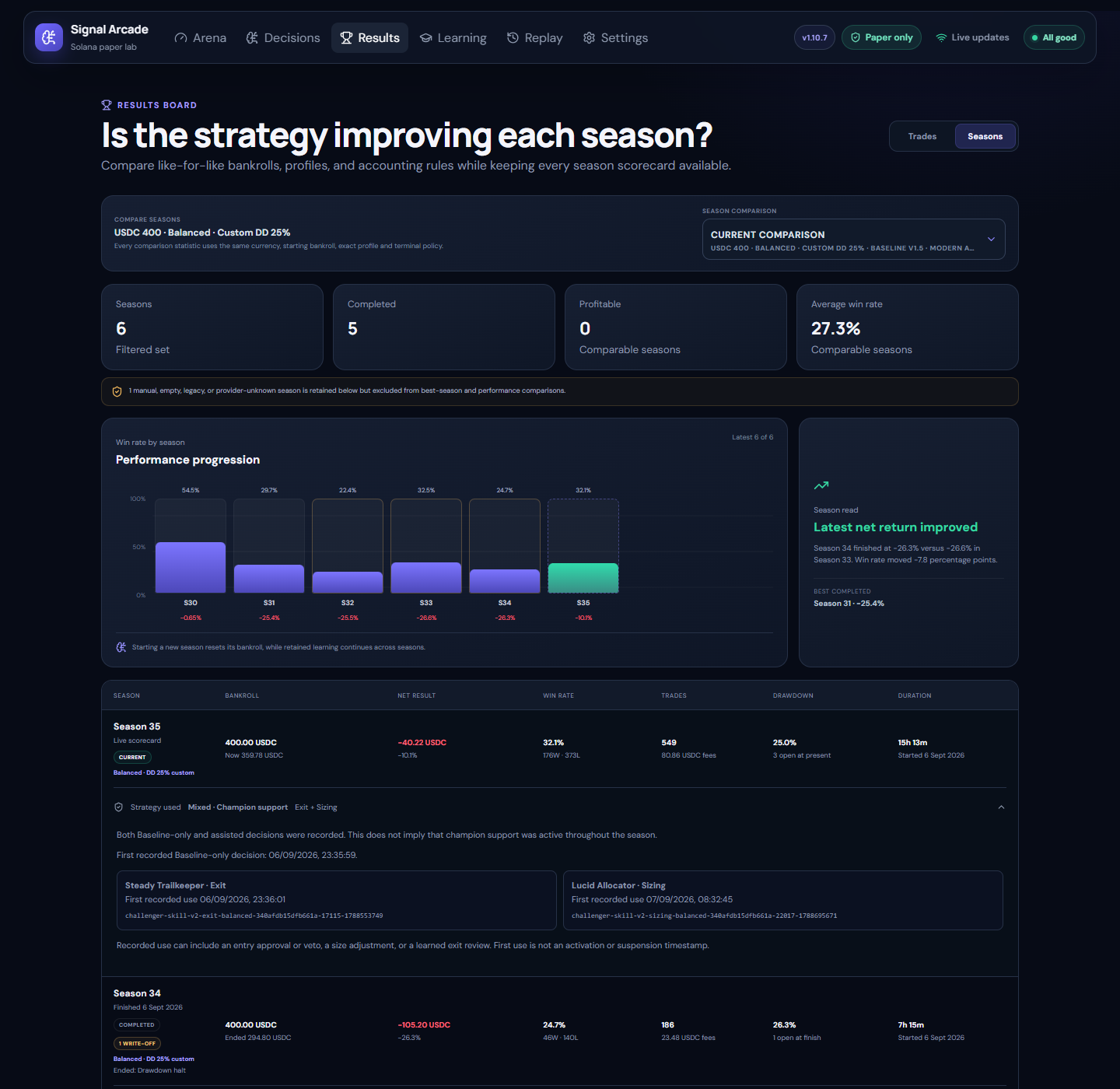
Season progress
Compare retained seasons, including returns, drawdown, fees and recorded strategy use.
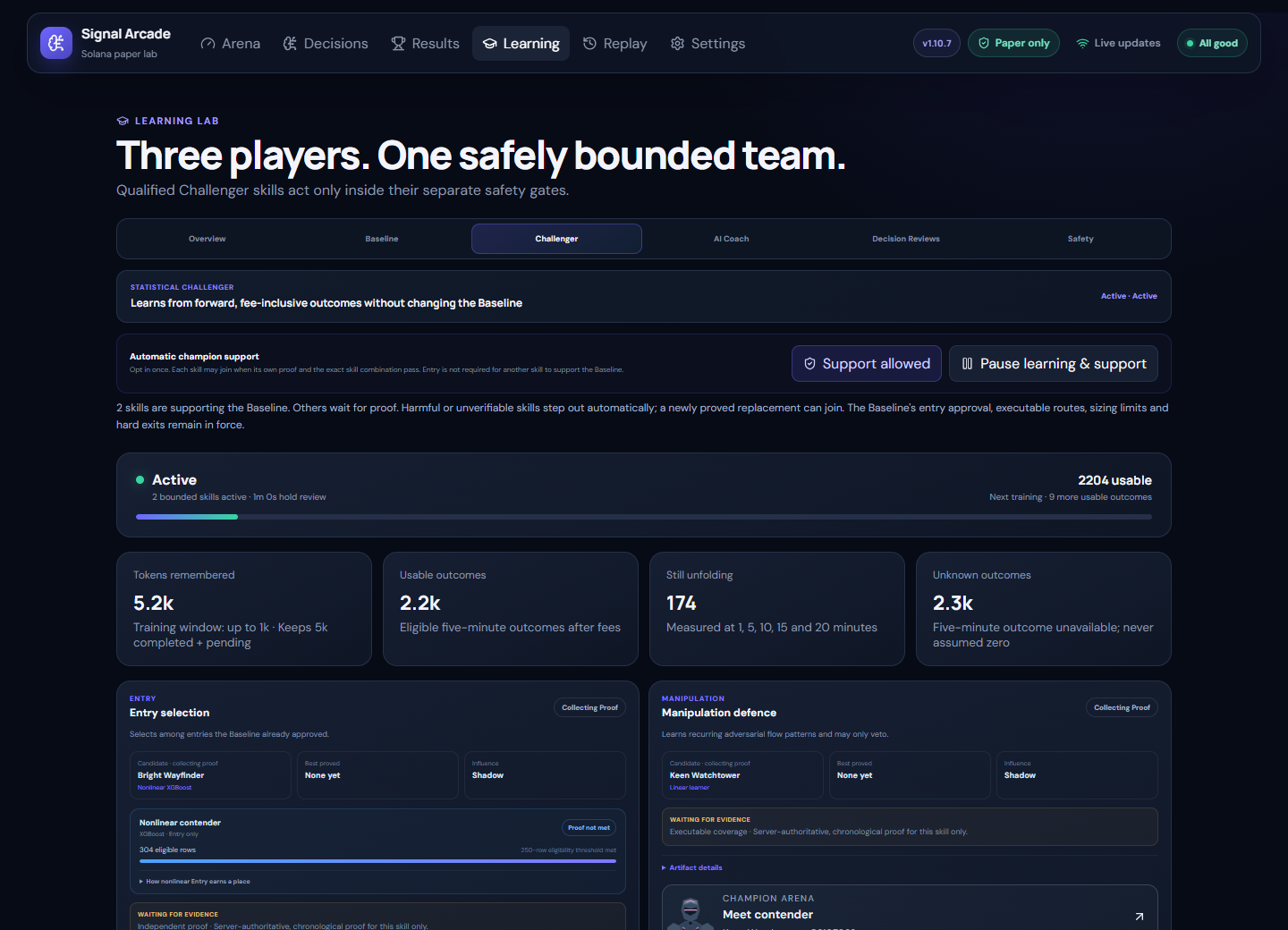
Learning Lab
Explore skill qualification, learning progress and Challenger evidence.
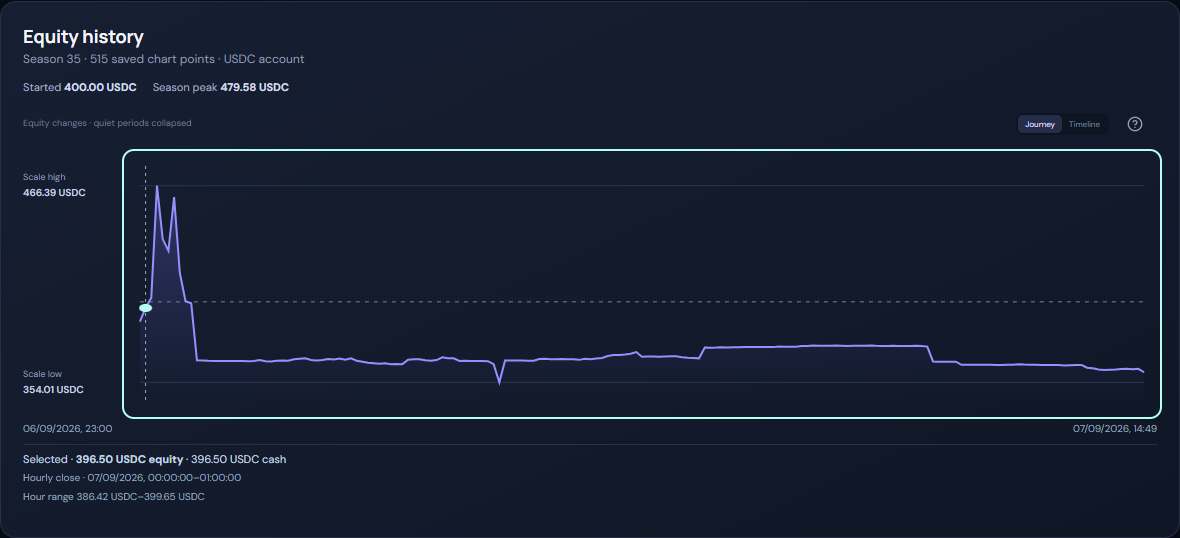
Replay and equity
Inspect saved equity history and the evidence behind paper decisions.

Explore the full gallery: AI Coach, Champion battles, provider settings, diagnostics and mobile views are included in the GitHub README.
Quick start with Docker
Docker with Compose support and an admin password are required. Provider keys and local AI models are optional.
1. Create a file named .env
SIGNAL_ARCADE_ADMIN_PASSWORD=replace-this-with-a-long-unique-password
2. Save this as docker-compose.yml
This configuration uses the published v1.10.10 image and CPU inference for the optional Ollama service.
services:
  signal-arcade:
    image: nicxx2/signal-arcade:1.10.10
    pull_policy: always
    restart: unless-stopped
    stop_grace_period: 45s
    init: true
    environment:
      SIGNAL_ARCADE_ADMIN_PASSWORD: ${SIGNAL_ARCADE_ADMIN_PASSWORD:?Set a long admin password in .env}
      SIGNAL_ARCADE_OLLAMA_URL: http://ollama:11434
      SIGNAL_ARCADE_OLLAMA_ACCELERATOR: cpu
    extra_hosts:
      - "host.docker.internal:host-gateway"
    ports:
      - "8765:8765"
    volumes:
      - signal-arcade-data:/data
    read_only: true
    tmpfs:
      - /tmp:size=256m,noexec,nosuid
    security_opt:
      - no-new-privileges:true
    cap_drop:
      - ALL
    logging:
      driver: json-file
      options:
        max-size: "10m"
        max-file: "3"

  ollama:
    image: ollama/ollama:0.33.1
    pull_policy: always
    restart: unless-stopped
    init: true
    environment:
      OLLAMA_HOST: 0.0.0.0:11434
      OLLAMA_NO_CLOUD: "1"
      OLLAMA_CONTEXT_LENGTH: "2048"
      OLLAMA_KEEP_ALIVE: 10m
      OLLAMA_MAX_LOADED_MODELS: "1"
      OLLAMA_NUM_PARALLEL: "1"
      OLLAMA_MAX_QUEUE: "4"
      LLAMA_ARG_CACHE_RAM: "512"
      CUDA_VISIBLE_DEVICES: "-1"
      ROCR_VISIBLE_DEVICES: "-1"
    expose:
      - "11434"
    volumes:
      - signal-arcade-models:/root/.ollama
    security_opt:
      - no-new-privileges:true
    cap_drop:
      - ALL
    healthcheck:
      test: ["CMD", "ollama", "list"]
      interval: 30s
      timeout: 10s
      start_period: 20s
      retries: 5
    logging:
      driver: json-file
      options:
        max-size: "10m"
        max-file: "3"

volumes:
  signal-arcade-data:
  signal-arcade-models:
3. Start the containers
docker compose up -d
Open http://localhost:8765, or http://server-ip:8765 from another device on your LAN. Use any username and the password from your .env file.
- Choose a virtual SOL or USDC bankroll in Arena.
- Select Safer, Balanced or Aggressive.
- Press Start paper engine.
- Optionally choose a model under Settings → Local AI models.
No AI model is downloaded automatically. The app's Baseline and Challenger learning remain functional without a local AI model.
Portainer: paste the same Compose file into the Web editor and define SIGNAL_ARCADE_ADMIN_PASSWORD as a stack environment variable.
How learning works
Baseline approves opportunities within deterministic safety and execution limits. Separate Challenger skills must earn their own authority:
| Skill | Role |
|---|---|
| Entry | Learn which Baseline-approved opportunities to keep or veto. Linear and XGBoost compete under matching validation rules. |
| Manipulation | Learn recurring adversarial flow patterns and veto eligible opportunities when supported by evidence. |
| Sizing | Select bounded 0.5×–2× sizes while preserving cash, exposure and executable-route limits. |
| Exit | Learn bounded review timing while preserving stop losses, structural exits and absolute hold limits. |
Outcomes are collected at 1, 5, 10, 15 and 20 minutes. Missing executable exits remain unknown; they do not become invented zero-profit outcomes.
Training and validation follow chronology. Independent forward evidence tests frozen candidates against the current Champion. A crown and permission alone do not establish current activation readiness.
Enable Allow when qualified in Learning → Challenger to permit proved skills to join automatically when their current activation checks pass. Entry does not need to qualify first for another skill to earn support.
Active skills remain monitored. Suspension removes their trading influence while new candidates and shadow comparisons can continue when learning is running. Changes in skill combinations require the appropriate fresh proof.
Learning history persists across seasons and remains separated by its relevant configuration and evidence contracts.
Read the learning specification
Champion Impact
The Learning Overview shows what current support changes on matching opportunities:
- Entry and Manipulation compare taking an opportunity with preserving cash when vetoed.
- Sizing compares its selected size with Baseline's 1× size.
- Exit compares its recorded review timing with the normal review at the same size.
- Team compares the active combination with a Baseline reference.
The view uses bounded, fee-inclusive checkpoint evidence for the current season and exact active Champion versions. Missing pairs remain in coverage, pending outcomes stay separate, and uncertainty is displayed.
At least 30 usable pairs and 70% coverage are required before an observed-advantage label is possible; the paired uncertainty range must also support it.
This is a modeled checkpoint comparison, not a second portfolio or realized account profit. Individual skill differences must not be added together. Use Results for actual paper-account performance.
Optional local AI Coach
Local AI is optional. The included Ollama service is available inside the Compose network and is not published to the host or LAN.
- Shadow Decision Reviews provide advisory explanations without direct trading influence.
- AI Coach selects from bounded research experiments and tests ideas using new evidence.
- Historical results may propose an idea; only eligible outcomes after selection may support it.
- A study requires at least 60 usable forward outcomes, 70% coverage, two qualifying seasons and a conservative improvement above one percentage point.
- Allow when ready gives separate permission for proved ideas to enter Challenger battles. A matching existing Champion, tournament proof and current activation checks are still required.
- Research can finish as rejected or inconclusive. Direct Qualified Coach and Live Critic control remain future stages.
Coach work yields to critical engine work and cannot bypass Baseline boundaries or Champion qualification.
CPU inference is the default. See the full README for optional NVIDIA and AMD configurations.
Providers and supported markets
V1 watches official Pump/PumpSwap program events. It simulates native-SOL Pump curves and wrapped-SOL PumpSwap markets; it is not a general scanner for every Solana venue. USDC is an optional accounting currency, not support for USDC-quoted pools.
The default setup uses keyless public Solana RPC and DEX Screener context. Optional provider presets and custom endpoints are available under Settings → Data providers.
Provider limits and backoff remain enforced. Public endpoints may throttle, disconnect or miss events. Provider dashboards remain authoritative for billed usage and credits.
Provider secrets can be submitted through localhost or HTTPS. Plain LAN HTTP supports non-secret controls; use localhost or an HTTPS reverse proxy to configure keys.
Optional learning reserve refresh
The additional learning reserve-refresh worker is disabled by default. To opt in, add this entry to the app service's existing environment block:
SIGNAL_ARCADE_LEARNING_RESERVE_REFRESH_ENABLED: "true"
Use a staged Shadow rollout and review provider capacity and diagnostics. This is separate from the held-position watchdog and does not weaken route validation or guarantee 70% coverage.
Diagnostics and long-term operation
Settings → Diagnostics exposes worker health, queue pressure, processing lag, collection progress, provider state and learning summaries.
Historical diagnostics use a separate 512 MiB allowance, targeting:
- 30 days of minute summaries.
- One year of hourly summaries.
- 90 days of compact events.
The byte cap takes priority. Recording yields under contention and labels gaps. Export failures are reported explicitly; check that an NDJSON download ends with an export_complete trailer before treating it as complete history.
Diagnostics are separate from training evidence. Raw event retention, logs and optional work are bounded, but durable trading and proof records can still grow. Monitor host disk space during extended operation.
Busy periods can still cause lag or candidate expiry. A recovered queue or a loss-free interval does not establish sustained peak-load capacity.
Updating
Back up persistent data before upgrading. Use a consistent SQLite backup or a snapshot of the complete stopped data volume.
- Open Settings → Maintenance & updates.
- Choose Prepare for upgrade and wait for Ready.
- Set the app image to the desired published version.
- Run these commands from the Compose folder:
docker compose pull
docker compose up -d
Keep the same Compose project and named volumes to retain your data and models. The app does not need access to the Docker socket.
v1.10.10 retains database schema 16. Upgrades from published v1.10.7–v1.10.9 preserve bankroll, positions, seasons, settings, learning evidence and Champion history without a new season or learning reset.
Older native Entry artifacts need a fresh fit under the corrected validation contract before providing support. Unfinished legacy Coach studies close as inconclusive with their evidence retained; new studies gather fresh Policy evidence. Existing support and contribution preferences are preserved, subject to current safety checks.
Read the upgrade and rollback guidance before changing to an older release. Shared schema versions do not make all learning and activation contracts interchangeable.
Paper-only boundary
V1 has no wallet-key input, seed phrase handling, transaction signing or transaction broadcasting path.
Paper execution models fees, latency and route availability, but real markets can behave worse. Model qualification, positive comparisons and Champion promotions do not guarantee profitable live trading.
Unsupported routes, stale evidence and unreviewed account extensions remain excluded.
Community
Report an issue · Contributing · Security policy · MIT License
If Signal Arcade is useful to you, consider starring the GitHub repository.
Tag summary
Content type
Image
Digest
sha256:904be3bc1…
Size
142.3 MB
Last updated
6 days ago
docker pull nicxx2/signal-arcadeThis week's pulls
Pulls:
317
Last week