so0k/mount.cifs_copy
Provide a mount.cifs for CoreOS (for example)
50K+
so0k/mount.cifs_copy repository overview

Build & Package mount.cifs with Dockerception
Provide a mount.cifs for CoreOS (for example) to use, optimized for size.
more tips on using mount.cifs with docker
this image is a fork from sigma/mount.cifs_copy
Delivering mount.cifs to a docker host:
docker run -it --rm -v /opt/bin/:/target so0k/mount.cifs_copy /target
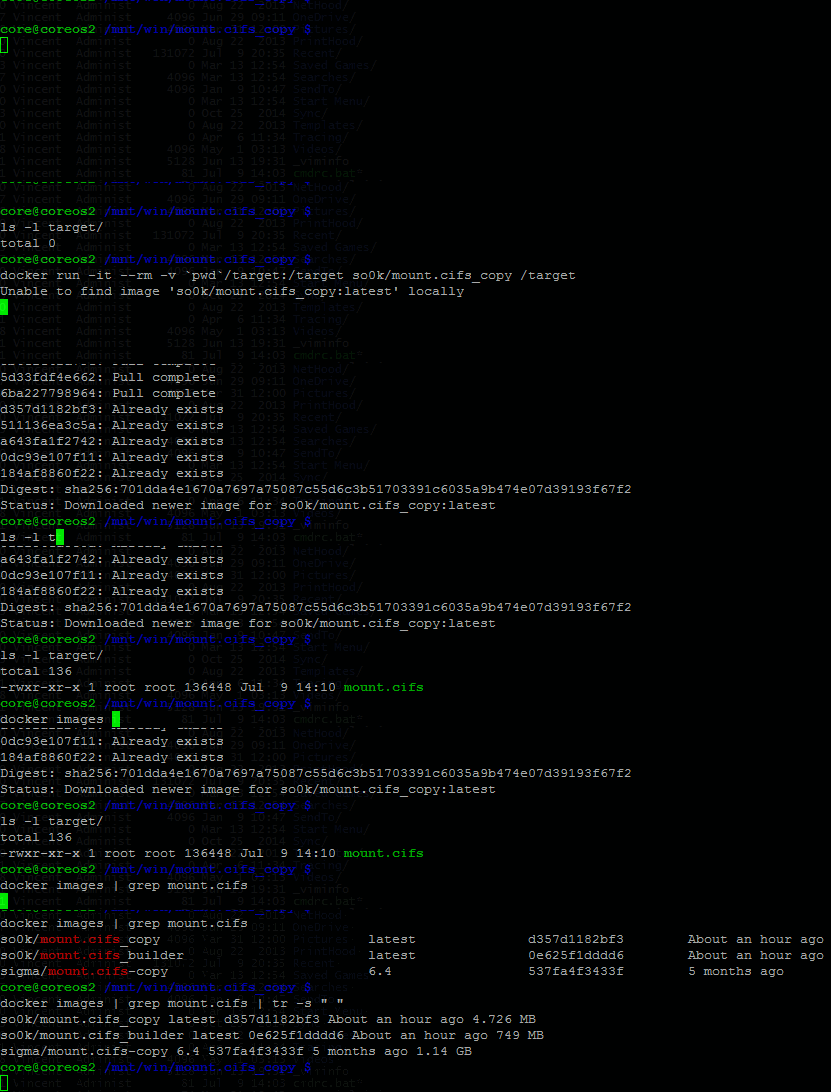
Usage running CoreOS on Hyper-V:
Hyper-V does not provide guest additions as used by vagrant/boot2docker, however if a mount.cifs binary is dropped into the CoreOS VM (i.e. in /opt/bin/) - similar transparency can be obtained:
demo (from a windows host, using CoreOS VM as docker_host):

PoC "installation" script:
Expects windows host is sharing folder as prj, windows host ip = 10.40.0.1 and mounts this as /mnt/win/.
#!/bin/bash

SMB_HOST=${SMB_HOST:-192.168.57.1}
SMB_SHARE=${SMB_SHARE:-share}
SMB_USER=${SMB_USER:-user}
WIN_MOUNT=${WIN_MOUNT:-/mnt/win}

#/opt/bin will automatically be created and is included in $PATH
#docker run --rm -v /opt/bin:/target so0k/mount.cifs-copy:6.4 /target

read -s -p "Password: " SMB_PASS
printf "\n"
printf "mounting drive to $WIN_MOUNT\n"
sudo /opt/bin/mount.cifs //$SMB_HOST/$SMB_SHARE $WIN_MOUNT -o nolock,username=$SMB_USER,pass=$SMB_PASS,iocharset=utf8
Mount on boot:
a unit file could be created to map samba shares on start up. (I have not tested this unit file - comment please for corrections)
[Unit]
Description=Mount Share service
After=network.target

[Service]
Type=oneshot
RemainAfterExit=yes
TimeoutStartSec=0
#ExecStartPre=/usr/bin/docker run --rm -v /opt/bin:/target so0k/mount.cifs_copy:6.4 /target
ExecStart=/opt/bin/mount.cifs //10.40.0.1/prj /mnt/win -o user=vincent,pass=password,uid=0,gid=0
ref:
Tag summary
Content type
Image
Digest
sha256:701dda4e1…
Size
2 MB
Last updated
about 11 years ago
docker pull so0k/mount.cifs_copy