x11docker/lxqt repository overview
x11docker/lxqt
Dockerfile containing LXQt desktop. Based on Debian.
- Run LXQt desktop in docker.
- Use x11docker to run GUI applications and desktop environments in docker images.
Please build image instead of pulling it
docker hub does not provide automated builds for free anymore. So this image is becoming old and outdated. Instead of pulling this image, please build it locally yourself. x11docker can do this for you with:
x11docker --build x11docker/lxqt
Command examples:
- Single application:
x11docker x11docker/lxqt pcmanfm-qt - Full desktop:
x11docker --desktop x11docker/lxqt - Wayland application:
x11docker --wayland --dbus --gpu x11docker/lxqt qterminal
Options:
- Persistent home folder stored on host with
--home - Shared host file or folder with
--share PATH - Hardware acceleration with option
--gpu - Clipboard sharing with option
--clipboard - ALSA sound support with option
--alsa - Pulseaudio sound support with option
--pulseaudio - Language locale settings with
--lang [=$LANG] - Printing over CUPS with
--printer - Webcam support with
--webcam
See x11docker --help for further options.
Extend base image
To add your desired applications, create your own Dockerfile with this image as a base. Example:
FROM x11docker/lxqt
RUN apt-get update
RUN apt-get install -y midori
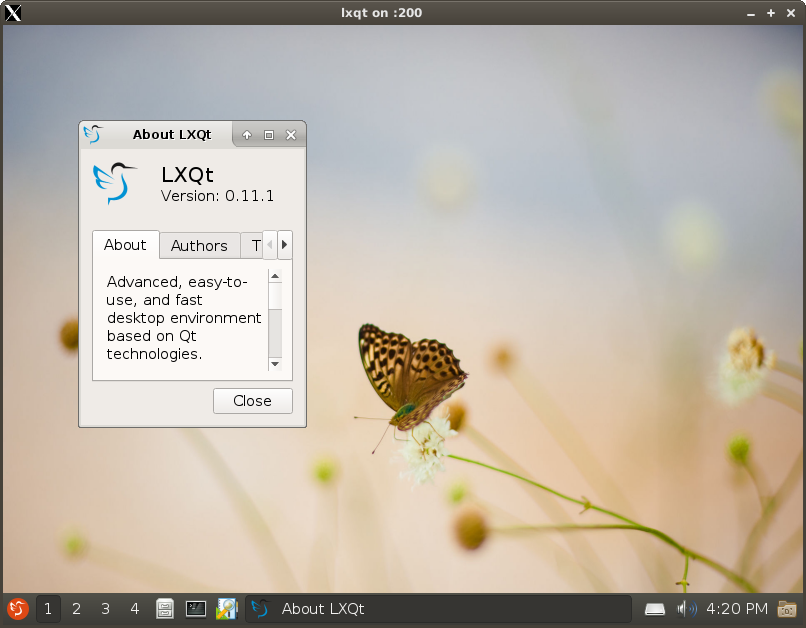
Screenshot
LXQT desktop in an Xnest window running with x11docker:
Tag summary
Content type
Image
Digest
Size
291.4 MB
Last updated
almost 5 years ago
docker pull x11docker/lxqt