xomoxcc/sipstuff-k8s-operator repository overview






sipstuff-k8s-operator
A Kubernetes operator that exposes a FastAPI HTTP API for creating SIP call Jobs. It accepts call requests via POST /call, builds Kubernetes Jobs that run sipstuff.cli call, and tracks job status. Available for linux/amd64 and linux/arm64. Source on GitHub.
Quick links:
- Source: github.com/vroomfondel/sipstuff-k8s-operator
- PyPI: pypi.org/project/sipstuff-k8s-operator
- CI: mypy + pytest, black lint, and a multi‑arch Docker build/push workflow (see badges above)
Why this is useful
- HTTP API for SIP calls — trigger phone calls from any system that can make HTTP requests (monitoring, alerting, CI/CD pipelines, home automation).
- Kubernetes‑native — each call runs as an isolated K8s Job with proper RBAC, TTL cleanup, and status tracking.
- Per‑request SIP overrides — override SIP server, credentials, transport, SRTP, and NAT traversal settings per call, or fall back to a shared K8s Secret.
- NAT traversal — STUN, ICE, TURN relay, UDP keepalive, and static public address support for complex network environments.
- Multi‑arch — runs on amd64 and arm64 (laptops, servers, SBCs).
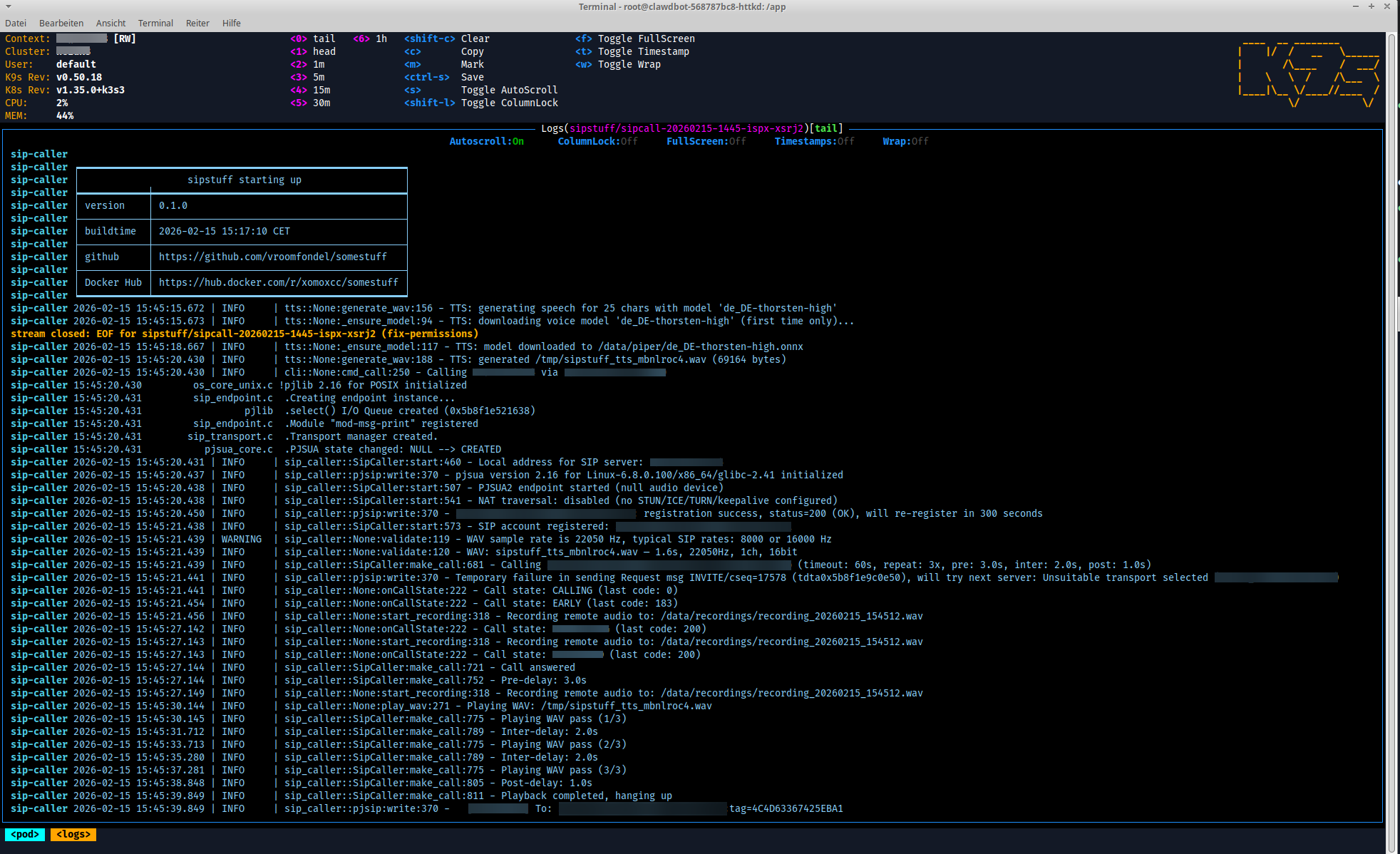
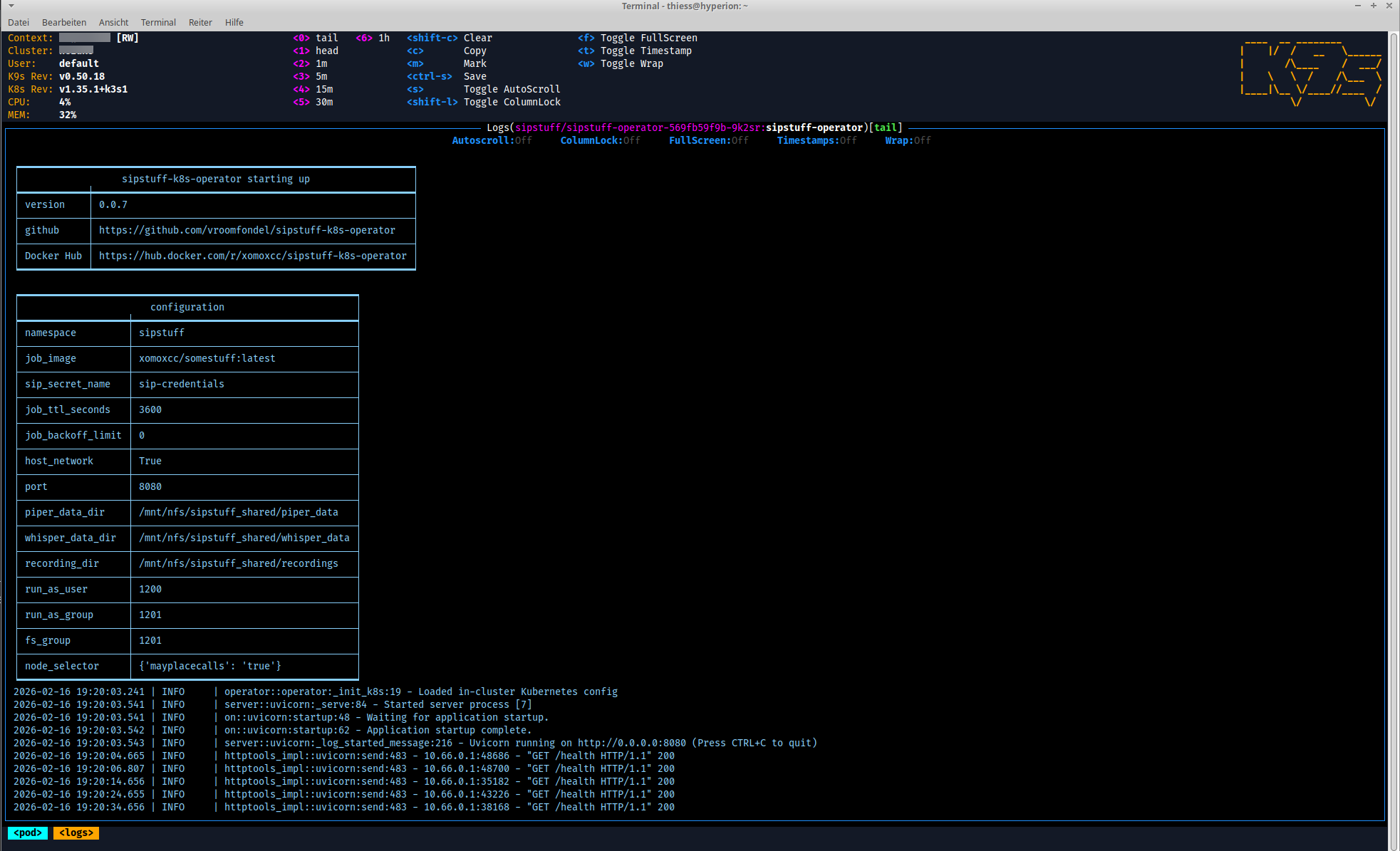
Screenshots

API Endpoints
| Method | Path | Description |
|---|---|---|
POST | /call | Create a K8s Job that executes a SIP call |
GET | /jobs | List all SIP call jobs |
GET | /jobs/{name} | Get status of a specific job |
GET | /health | Liveness / readiness probe |
Quick start
# Pull the image
docker pull xomoxcc/sipstuff-k8s-operator:latest

# Run locally (connects to your current kubeconfig context)
docker run --rm -p 8080:8080 \
  -v ~/.kube/config:/root/.kube/config:ro \
  xomoxcc/sipstuff-k8s-operator:latest

# Create a call
curl -X POST http://localhost:8080/call \
  -H "Content-Type: application/json" \
  -d '{"dest": "+4912345678", "text": "Hello from sipstuff"}'

# List jobs
curl http://localhost:8080/jobs

# Check health
curl http://localhost:8080/health
Configuration
All settings are read from environment variables. Every variable is optional with sensible defaults.
| Variable | Default | Description |
|---|---|---|
JOB_NAMESPACE | Downward API namespace or "sipstuff" | K8s namespace for created jobs |
JOB_IMAGE | "xomoxcc/sipstuff:latest" | Container image for SIP call jobs |
SIP_SECRET_NAME | "sip-credentials" | K8s Secret name for default SIP credentials |
JOB_TTL_SECONDS | 3600 | TTL in seconds after job completion before cleanup |
JOB_BACKOFF_LIMIT | 0 | Number of retries before marking a job as failed |
JOB_HOST_NETWORK | "true" | Use host networking for SIP/RTP |
PORT | 8080 | HTTP listen port |
PIPER_DATA_DIR | null | Host path for Piper TTS model cache; mounted at /data/piper |
WHISPER_DATA_DIR | null | Host path for Whisper STT model cache; mounted at /data/whisper |
RECORDING_DIR | null | Host path for call recordings; mounted at /data/recordings |
RUN_AS_USER | null | UID to run the job container as |
RUN_AS_GROUP | null | GID to run the job container as |
FS_GROUP | null | fsGroup for the job pod security context |
NODE_SELECTOR | null | Default node selector for job pods (key=value,key2=value2); can be overridden or cleared per request |
Note on hostPath volumes and permissions: fsGroup only takes effect on volume types that support ownership management (e.g. emptyDir, PVCs). For hostPath volumes the host directory permissions are used as-is. When RUN_AS_USER is set and volume mounts are configured, the operator automatically adds a fix-permissions initContainer (runs as root with busybox:latest) that executes chown -R <uid>:<gid> on all mounted directories before the main container starts. This ensures the SIP call container can write to the hostPath volumes regardless of the host-side permissions.
Call Request Body
POST /call accepts a JSON body with the following fields. Exactly one of text or wav must be provided.
| Field | Type | Default | Description |
|---|---|---|---|
dest | string | (required) | Destination phone number or SIP URI |
text | string | null | Text to speak via TTS (mutually exclusive with wav) |
wav | string | null | Path to a WAV file to play (mutually exclusive with text) |
sip_server | string | null | SIP server override |
sip_port | integer | null | SIP port override (1-65535) |
sip_user | string | null | SIP username override |
sip_password | string | null | SIP password override |
sip_transport | string | null | Transport protocol: "udp", "tcp", or "tls" |
sip_srtp | string | null | SRTP mode: "disabled", "optional", or "mandatory" |
sip_tls_verify | boolean | null | TLS server certificate verification |
stun_servers | string | null | Comma-separated STUN servers |
ice_enabled | boolean | null | Enable ICE for NAT traversal |
turn_server | string | null | TURN relay server (host:port) |
turn_username | string | null | TURN auth username |
turn_password | string | null | TURN auth password |
turn_transport | string | null | TURN transport: "udp", "tcp", or "tls" |
keepalive_sec | integer | null | UDP keepalive interval in seconds (0-600) |
public_address | string | null | Public IP address for SDP/Contact headers |
timeout | integer | 60 | Call timeout in seconds (1-600) |
pre_delay | float | 0.0 | Delay before call in seconds (0-30) |
inter_delay | float | 0.0 | Delay between WAV repeats in seconds (0-30) |
post_delay | float | 0.0 | Delay after call in seconds (0-30) |
wait_for_silence | float | null | Wait for N seconds of remote silence before playback (0-30) |
repeat | integer | 1 | Number of call repetitions (1-100) |
tts_model | string | null | TTS model name |
tts_sample_rate | integer | null | TTS sample rate in Hz (0-48000) |
tts_data_dir | string | null | TTS data directory |
stt_model | string | null | Whisper model size for STT transcription (e.g. "tiny", "base", "small", "medium", "large-v3") |
stt_language | string | null | Language code for STT transcription (e.g. "de") |
stt_data_dir | string | null | Directory for Whisper STT models |
record | string | null | Record remote party audio to this WAV file path (should be below /data/recordings/ when RECORDING_DIR is configured) |
transcribe | boolean | false | Transcribe recorded audio via STT and write a JSON call report (requires record) |
verbose | boolean | false | Enable verbose logging in the call job |
node_selector | object | null | K8s node selector for the job pod (e.g. {"mayplacecalls": "true"}). Overrides the operator default from NODE_SELECTOR. Set to {} to explicitly clear the default. |
Kubernetes Deployment
Manifests are provided in the k8s/ directory of the source repository:
# Create namespace
kubectl apply -f k8s/namespace.yaml

# Create RBAC (ServiceAccount, Role, RoleBinding)
kubectl apply -f k8s/rbac.yaml

# Create the SIP credentials secret (copy and edit the example first)
cp k8s/secret.yaml.example k8s/secret.yaml
# edit k8s/secret.yaml with your SIP credentials
kubectl apply -f k8s/secret.yaml

# Deploy the operator
kubectl apply -f k8s/deployment.yaml

# Expose via ClusterIP service (80 -> 8080)
kubectl apply -f k8s/service.yaml
The operator Deployment uses liveness and readiness probes against /health, runs as a single replica on port 8080, and uses a dedicated sipstuff-operator ServiceAccount with RBAC permissions for batch/jobs and pods.
SIP Credentials
SIP connection parameters can be provided per‑request in the call body (sip_server, sip_port, sip_user, sip_password, sip_transport, sip_srtp, sip_tls_verify). When a field is not provided, the operator falls back to the K8s Secret specified by SIP_SECRET_NAME (default: sip-credentials).
The secret should contain these keys:
stringData:
  SIP_SERVER: "sip.example.com"
  SIP_PORT: "5060"
  SIP_USER: "sipuser"
  SIP_PASSWORD: "changeme"
  SIP_TRANSPORT: "udp"
  SIP_SRTP: "disabled"
  # SIP_TLS_VERIFY_SERVER: "false"
See k8s/secret.yaml.example for a complete example.
NAT Traversal
NAT traversal settings (STUN, ICE, TURN, keepalive, public address) can be provided per‑request or configured globally via the same K8s Secret. Add any of these optional keys to the sip-credentials Secret:
stringData:
  # SIP_STUN_SERVERS: "stun.l.google.com:19302"
  # SIP_ICE_ENABLED: "false"
  # SIP_TURN_SERVER: "turn.example.com:3478"
  # SIP_TURN_USERNAME: ""
  # SIP_TURN_PASSWORD: ""
  # SIP_TURN_TRANSPORT: "udp"
  # SIP_KEEPALIVE_SEC: "0"
  # SIP_PUBLIC_ADDRESS: ""
When turn_server is provided in a request, SIP_TURN_ENABLED=true is automatically set on the job.
Docker: build and image details
The image is based on python:3.14-slim, installs Python deps via requirements.txt, copies the sipstuff_k8s_operator package, and runs python3 -m sipstuff_k8s_operator as its default command.
Local build
# Build the image
make build
# or
docker build -t xomoxcc/sipstuff-k8s-operator:latest .

# Run locally
docker run --rm -p 8080:8080 xomoxcc/sipstuff-k8s-operator:latest
Multi‑arch build and push
The CI workflow (.github/workflows/buildmultiarchandpush.yml) builds and pushes multi‑arch images (amd64 + arm64) to Docker Hub after a successful mypy/pytest run. Tags: xomoxcc/sipstuff-k8s-operator:latest and xomoxcc/sipstuff-k8s-operator:python-3.14-slim-trixie.
GitHub Actions
mypynpytests.yml— mypy + pytestbuildmultiarchandpush.yml— multi‑arch Docker build/push (triggers after successful tests)checkblack.yml— black code style checkupdate-clone-badge.yml— clone count badge update
License
This project is licensed under the LGPL‑3.0 — see LICENSE.md. Some files/parts may use other licenses: MIT | GPL | LGPL. Always check per‑file headers/comments.
Authors
- Repo owner (primary author)
- Additional attributions are noted inline in code comments
Note
This is a development/experimental project. For production use, review security settings, customize configurations, and test thoroughly in your environment. Provided "as is" without warranty of any kind, express or implied, including but not limited to the warranties of merchantability, fitness for a particular purpose and noninfringement. In no event shall the authors or copyright holders be liable for any claim, damages or other liability, whether in an action of contract, tort or otherwise, arising from, out of or in connection with the software or the use or other dealings in the software. Use at your own risk.
Tag summary
Content type
Image
Digest
sha256:f313ca29d…
Size
94.1 MB
Last updated
7 months ago
docker pull xomoxcc/sipstuff-k8s-operator